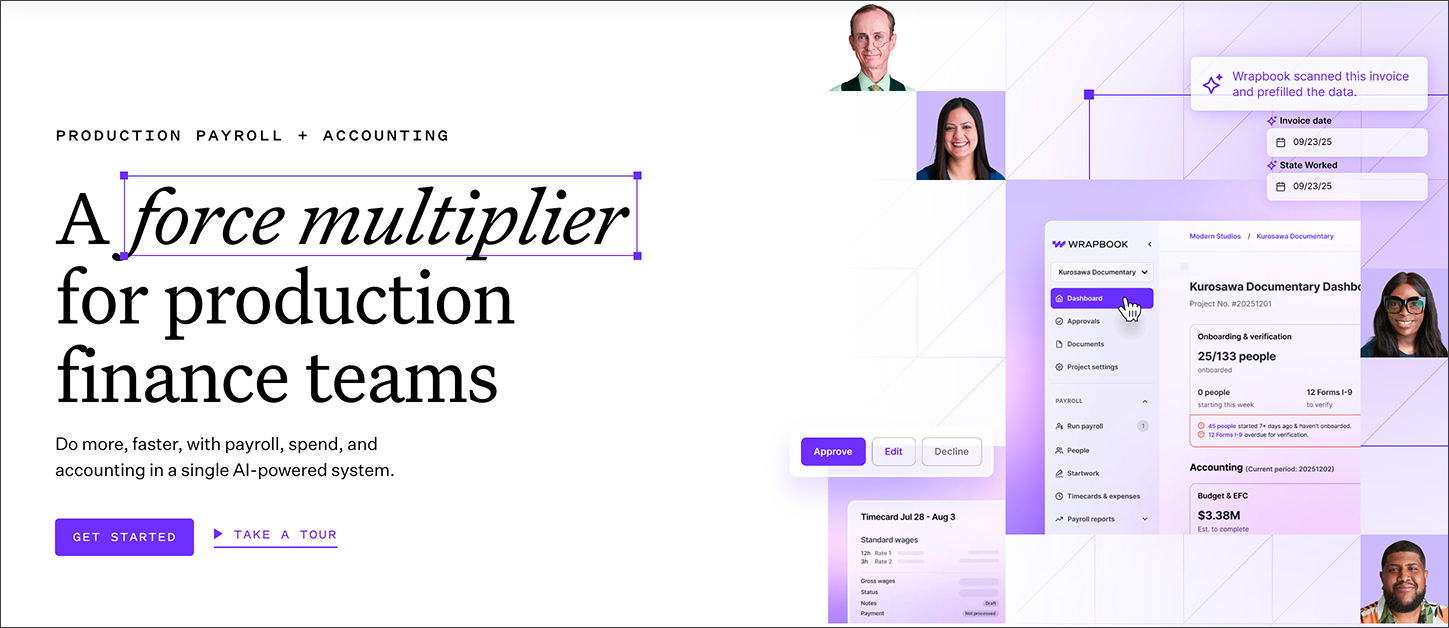
Whether you’re a production accountant, production coordinator, a member of the cast and crew, or all of the above, Wrapbook is your force multiplier for production finance teams.
To help you get started with Wrapbook, we’ve put together a list of frequently-asked questions. Click the arrow next to any of the questions below to see the answer.
What’s Wrapbook?
Wrapbook is an online production payroll and accounting platform; allowing production companies to pay their crew, track budgets and spending, and monitor compliance.
As an EOR payroll provider, Wrapbook serves as the workers’ employer for the purposes of withholdings, payroll taxes, unemployment, and workers’ compensation.
Who’s Wrapbook for?
Wrapbook is for two groups:
Production Accountants & Administrators use Wrapbook to manage production tasks including:
Managing compliance with US employment/tax laws, and collective worker bargaining groups
Production Workers & Agents use Wrapbook to:
Complete production startwork and onboarding
How do I get help using Wrapbook?
Wrapbook offers the following support options:
Scout AI-powered assistant
Available 24/7 directly within your Wrapbook account, Scout is Wrapbook's AI-powered chat assistant designed to help you get answers quickly and efficiently.
Scout can assist with common questions about timecards, payments, project setup, and navigating Wrapbook's features.
When you need additional support or have complex inquiries, Scout makes it easy to escalate to our human support team for personalized assistance. Think of Scout as your first stop for fast, accurate help that keeps you moving forward with your production needs.
When you’re logged in to Wrapbook, you can access Scout from any page. Just click Get help in the top-right corner of your screen to start chatting with Wrapbook’s AI-powered assistant and get help instantly.
Wrapbook Help Center
The Wrapbook Help Center offers a comprehensive catalog of help articles and FAQ lists. In the Help Center, you can search or browse the help articles, watch how-to videos, and check out featured resources.
Live customer support
If you have a Wrapbook account, you can get help from a live person by sending our team a support request. Live support is available between 8AM – 7PM Pacific Time, Monday – Friday.
Contact us via our toll-free number 1-833-977-2665
Email us at support@wrapbook.com
My production is using Wrapbook. How do I join?
To join your production on Wrapbook:
Wait for an invitation from the production company to be sent to your email
In the invitation email, click the Join Project button
Click Accept Invitation when prompted
How you proceed from here depends on if you already have a Wrapbook account…
If you already have a Wrapbook account:
You'll be directed to sign in with your existing account
When signing in, be sure to use the same email address that the invitation email was sent to
If you're new to Wrapbook:
You'll be guided through setting up your profile
Be sure to use the same email address that the invitation email was sent to
Double-check your SSN and name spelling to prevent errors
Complete all required fields and agree to the Terms of Service
Click Sign Up
Remember to verify your account by clicking the link in the confirmation email sent to your inbox.
I have more than one Wrapbook account. How can I merge them?
If you have multiple Wrapbook accounts that need to be merged, you'll need to contact the Support team for assistance.
For security reasons, account merges must be handled by the Support team and cannot be done by users directly at this time.
Where’s my payment?
Payment dates shown in notification emails are estimates.
For the most up-to-date information, check your payment’s status in your Wrapbook account. The status will show whether your payment is Processing or Paid.
For the most accurate timeline, check your payment status in Wrapbook or contact the Support team.
Processing means that your timecard has been approved but payment is still being processed. During this stage, the production company may still need to complete payroll funding. If your payment is still Processing, contact your production company representative for updates on payroll timing.
Paid means that a payment has been issued and is on its way to you. Once your payment shows as Paid, you can expect to receive it within:
1-3 business days from the issue date if direct deposit
5-7 business days for paper checks
If your payment shows as Paid but you haven't received it within the expected timeline, contact the Wrapbook Support Team.
What if I can’t access my account?
Reasons you might not be able to access your Wrapbook account include:
Having multiple accounts with different email addresses
If you receive a message indicating you may have multiple accounts, contact the Support team
Incorrect password
Password reset emails come from wrapbook.com. Check your spam folder if you don't see it in your inbox.
Mobile app error
Ensure you're using the latest version of the Wrapbook app
Try logging out completely and then logging back in with your email and password
Does Wrapbook work with other accounting tools?
Wrapbook supports the following accounting system integrations:
Sage Intacct
Acumatica
These integrations allow you to automatically sync your company’s payroll data, eliminating the need for manual data entry.
In addition, you can:
Import a budget from Hot Budget, Movie Magic, Showbiz,or Point Zero
Export purchase orders (POs) from Wrapbook to Hot Budget or Showbiz
Export a payroll log to CAPS+, Hot Budget, Acumatica, or Showbiz
QuickBooks Desktop (QBD) is not available as a direct Wrapbook integration. If you use QBD, you can manually copy or import data from Wrapbook into QuickBooks Desktop.
Does Wrapbook offer payment terms?
Please contact your Wrapbook Customer Success Manager for questions about payment terms.
How much does it cost to use Wrapbook? Is there a platform fee?
For Cast and Crew: It’s Free
If you’re a worker using Wrapbook—whether cast or crew, employee or loan out —you pay nothing to get onboarded, paid, or access your documents. Your production company handles all payroll-related costs.
Wrapbook never charges workers for using the platform. No fees. No deductions beyond standard taxes.
For Production Companies: Get a Custom Estimate
Wrapbook’s pricing for production companies is transparent and tailored to each project. To calculate your exact costs—including employer taxes, workers' comp, and more - use our interactive estimator.
The estimator covers:
Project-based Wrapbook fees
Employer taxes and union fringes
Workers’ compensation insurance
Location-specific compliance
You can use it whether you're budgeting a small shoot or a major production. If you have additional questions about Wrapbook pricing, please contact the Support team.
How do I help my cast and crew get started with Wrapbook?
We’ve created a Quick Start Guide to help your workers setup their accounts in Wrapbook. You can share this guide with your workers by doing any of the following:
Send them this link: https://help.wrapbook.com/docs/quick-start-guide
Click either of the download links available at the top of the guide, and in the article outline in right-side panel
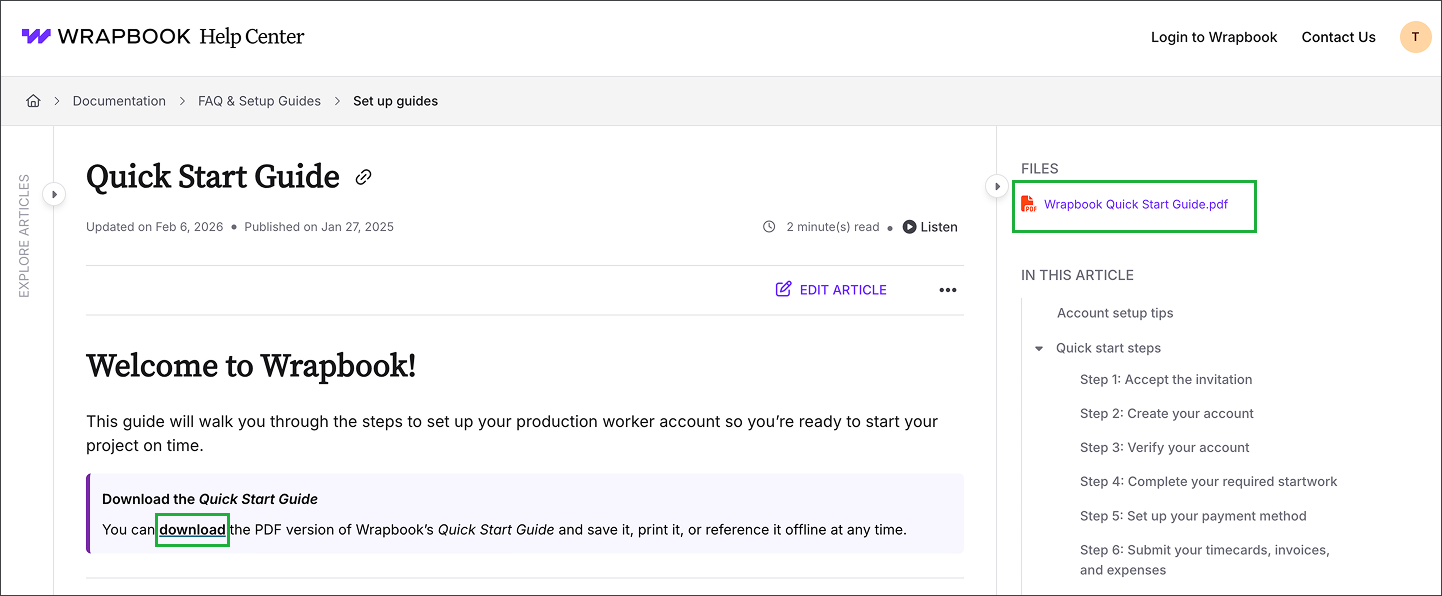
Click either of the download links available at the top of the guide, and in the article outline in right-side panel
Where can I explore current job opportunities in production accounting?
Founded by Emily Rice in 2005, The List is the most trusted resource for Production Accounting & Production Finance positions in Film & TV.
If you’re looking for a new role in production accounting, you can search the job board by production type, work style, and software
Companies looking to hire production accountants or payroll clerks can use the site to submit job listings and get qualified applications
You can learn more by going directly to the The List website.
How can I quickly find the correct union scale rates for my project?
You can use Wrapbook’s Rate Finder, a searchable database that surfaces the latest union scale rates in Film, Television, and Commercial (FTV) production. It includes the major agreements for IATSE, SAG-AFTRA, DGA, Teamsters, and Basic Crafts, so you always have the most up-to-date information at your fingertips.
Rate Finder also features a My Project tab, which lets you save only the rates relevant to your production. This creates a customized view that keeps everything organized in one convenient place, helping you move faster and stay compliant.
How do I add, upload, or send an invoice in Wrapbook?
In Wrapbook, the answer depends on your role and what you're trying to do. Below are the most common scenarios:
If you're a loan-out or contractor submitting your own invoice to get paid: You'll submit your invoice through Timecards & Expenses. Learn how to submit an invoice as a loan-out.
Note: If you're set up as a W-2 employee (not a loan-out), you cannot submit an invoice on your own. Your company admin will need to add a Wages payable on your behalf via Timecards & Expenses.
If you're a production accountant or admin entering a vendor invoice (for example, catering, equipment, location fees): This is done through the Accounts Payable dashboard, which requires the Production Accounting Suite (PAS). You can add a vendor invoice three ways:
Email forwarding — forward the vendor's invoice to your project's unique Wrapbook email address and Wrapbook will pre-populate the details
File upload / drag & drop — drag a PDF directly onto the Accounts payable dashboard or invoice details page
Manual entry — key in the vendor name, invoice number, amounts, and line coding yourself
Learn how to create an AP invoice.
If you're a production accountant working with payroll invoices: After payroll is processed, Wrapbook automatically generates payroll invoices in PAS. These are not vendor invoices — they're records of completed payroll runs that need to be reviewed, cost-coded, and posted to your books. Learn about payroll invoices in PAS.
If you're a worker trying to attach a receipt or document to an allowance or expense: If you've added an allowance or expense and need to attach a receipt or supporting document as backup, that's done directly on the allowance or expense entry — not through a separate invoice upload. Learn how to document allowances and expenses as a worker.
If you're trying to add or upload something related to petty cash or a PCard: Petty cash and PCard expenses in Wrapbook are not handled through AP invoices — each has its own dedicated workflow:
Workers (petty cash) — you don't submit an invoice for petty cash. Your admin assigns you a cash amount in the Petty Cash tracker, and you upload receipts as you spend. Learn how to access petty cash as a worker.
Company users (petty cash) — petty cash is managed through the Petty Cash tracker, where you can fund crew members, review receipts, and reconcile returns. Learn how to document petty cash purchases.
Workers (PCards) — if your production uses PCards, you can add receipts directly to your PCard transactions in Wrapbook. Learn how to add a receipt to a PCard transaction.
Company users (PCards) — manage PCard expenses and receipts through the PCards section. Learn about PCards for company users.
Production accountants (PAS) — petty cash envelopes are entered as a journal entry, not an AP invoice. You can create a journal entry manually or bulk import journal entries via spreadsheet, attaching receipt PDFs as backup.
Note: AP invoices are for vendor payments (for example, a bill from a catering company or equipment rental). Petty cash receipts and PCard expenses are separate workflows and cannot be entered as AP invoices.
If you're a vendor trying to send an invoice to a production company: You don't need a Wrapbook account — ask the production company for their project's unique Wrapbook email address and send your invoice directly to that address.
What is Room Tone?
Room Tone is Wrapbook's community for production accountants and finance professionals in the entertainment industry. It's a Slack-based network with dedicated channels for conversation, job postings, and resources — and it's integrated with The List, so members get early access to new job opportunities before they're posted publicly.
To join, you must be an accountant, controller, or clerk in the production industry. Membership requires a verifiable working credit (LinkedIn profile or IMDb Pro listing accepted as proof).
What is Cinapse?
Cinapse is a collaborative production scheduling app — and it's now part of the Wrapbook family. It gives assistant directors, production managers, and their teams one shared place to build and manage schedules, collaborate in real time, and plan their productions from prep through wrap.
Cinapse works for films, TV series, commercials, music videos, and more, and is trusted by teams at major studios.
Cinapse is a separate product from Wrapbook's payroll and accounting platform. To learn more or get started, visit cinapse.io.
Does Wrapbook support commercial productions?
Yes. Commercial productions are one of the most common production types on Wrapbook — from small branded content shoots and digital ad campaigns to large multi-day commercial sets.
Wrapbook handles crew payroll, worker onboarding, timecards, cost tracking, and compliance for commercial productions of any size. There is no minimum payroll requirement for non-union commercial projects (a production insurance certificate is required).
Union commercial productions are supported for a wide range of agreements. Wrapbook supports many SAG-AFTRA, IATSE, and other guild agreements commonly used on commercial sets. The one exception is the SAG-AFTRA Commercial Agreement for on-screen talent — that specific contract is not currently supported because it involves residual payments that Wrapbook's platform does not process. Most commercial crew payroll and non-union talent payments are unaffected by this limitation.
If you're unsure whether your specific union agreement is supported, contact Wrapbook Support before your project start date.