This help article is related to Cost tracking
In Wrapbook, production accountants and administrators can manage POs using either Cost tracking or the Production Accounting Suite.
POs are permission based
To update POs in Cost tracking, your account must have one of the following roles enabled:
Role: Company Admin, Company Manager, or Project Coordinator
Custom role with:
Accounting & Cost Tracking / Purchase orders - Full access, Manage, Approve only, or View only
Overview
Authorized production administrators and accountants can update POs in Cost tracking as follows.
Status restrictions
POs in Cost tracking can be updated when they are:
Open - Full editing capabilities
Approved - Limited editing capabilities (see below)
Reopened - Can be updated
They can’t be updated when they are:
Closed
Void
What you can edit on approved POs
On Approved POs specifically, you can:
Edit the status within the header
Edit the description
Add new rows to the grid
Change row status
Edit 1099 details
Check/uncheck Asset box
Add or update AP invoice attachments
However, you cannot:
Change the quantity or rate on existing lines of an approved PO
Delete rows on an approved PO (but you can change line status to Closed to remove from reports)
How to update a PO:
From the project dashboard, click the View POs link
On the PO page, click the Edit button and then click on any of the fields to make your changes
To add a line to the PO, click the three vertical dots next to it and then select Add new line
You can also click the three vertical dots to Remove row or Duplicate it
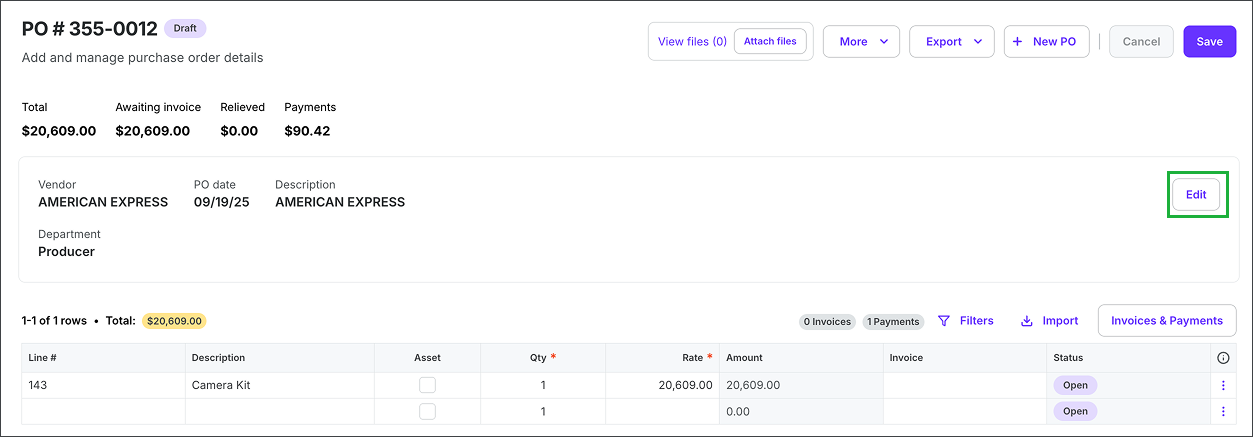
Click the Edit button
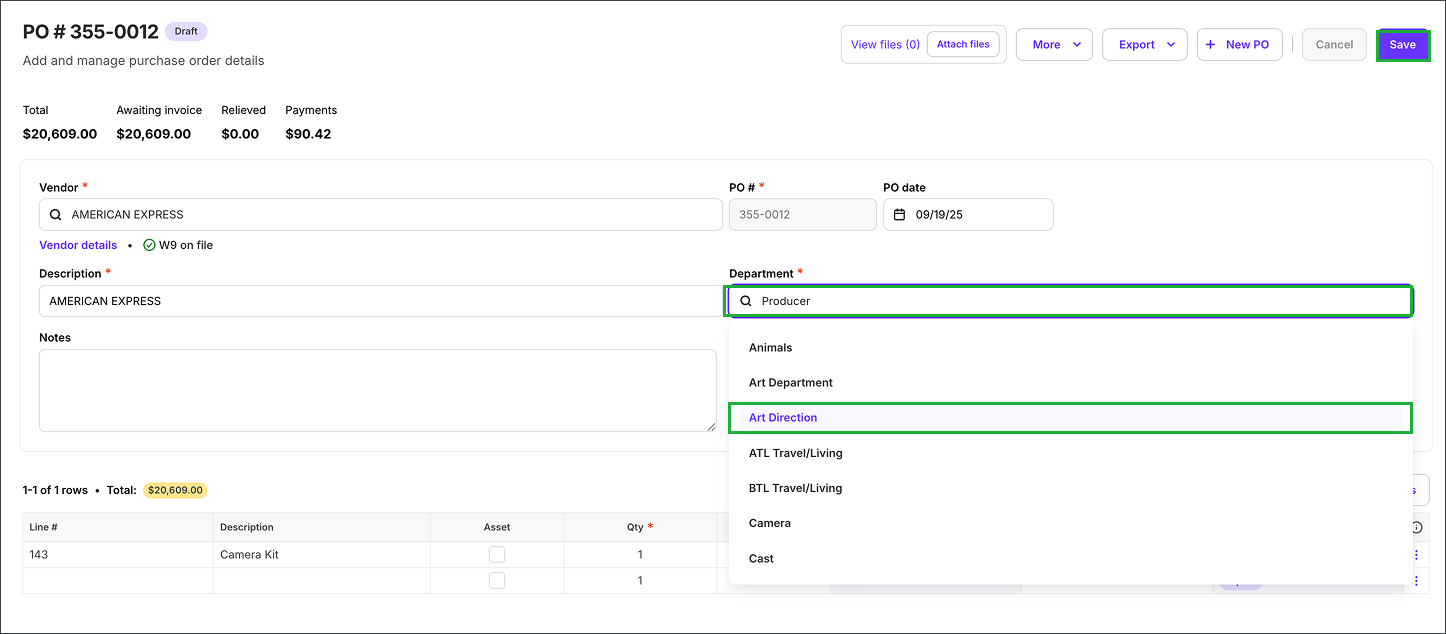
You can click on any of the fields to update the details in the PO. When you're finished making your changes, click the Save button.
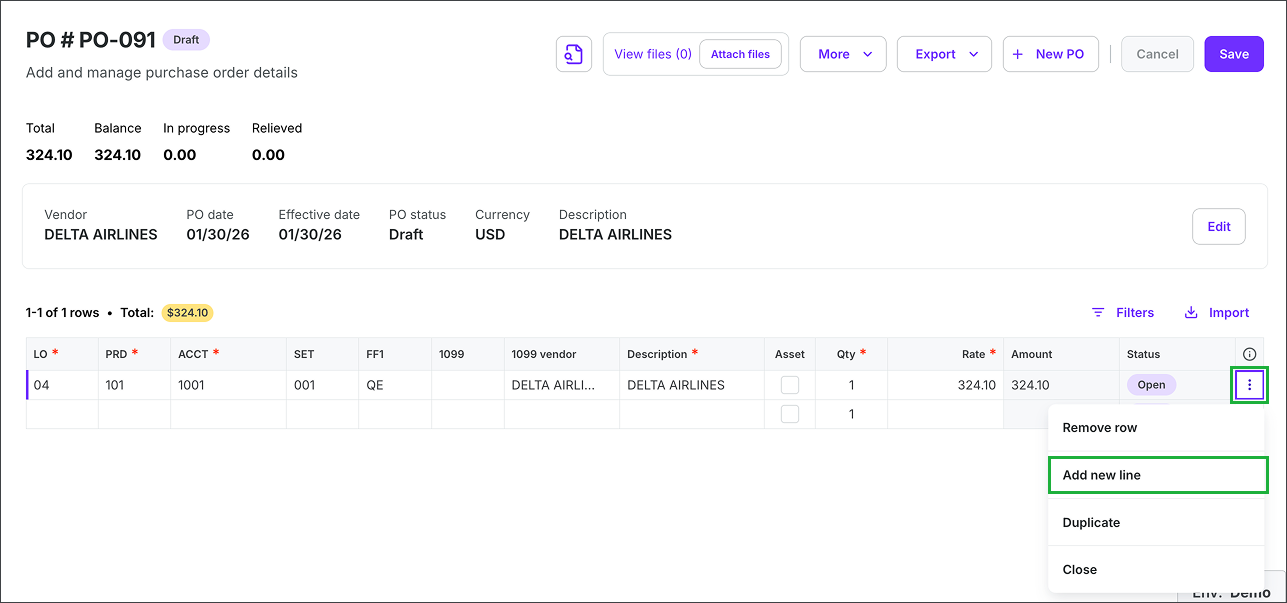
Click the three vertical dots next to a PO line to Add new line. You also have the option to Remove the row or Duplicate it.