Approving project worker timecards and payroll is permission based.
To approve project worker timecards and payroll, your account must have one of the following roles enabled:
Role: Company Admin, Company Manager, or assigned Project Coordinator
Custom role with: Projects, People & Approvals/Project management - Full access, or Manage; Payroll & Financials/Timecards - Full access, or Create and manage, or Approve only
Overview
The Timecards tab on your Approvals dashboard is where you review, manage, and approve worker timecards submitted for a project. From here, you can evaluate individual timecards in detail, approve or deny submissions, and bulk-approve multiple timecards at once. This article walks you through everything on the Timecards tab and how to take action.
Note: To learn how to configure your project's timecard approval workflow, see Approval workflows.
How to access timecard approvals in Wrapbook
Team members that are part of the timecard approval workflow can approve worker timecards from their Approvals dashboard.
In the left-side navigation, click the dropdown menu to select the project
In the Project menu, click Approvals
On your Approvals dashboard, click the Timecards tab
Understanding the Timecards tab
Filters
At the top of the Timecards tab, you can use the following filters to narrow down the timecards displayed:
Week ending – Filter by the week-ending date of the timecard
Requester – Filter by the worker who submitted the timecard
Request date – Filter by the date the timecard was submitted
Status – Filter by the timecard's current approval status (see Approval status below)
Pending approval from – Filter by which approver still needs to act on a timecard
To apply a filter
Click any filter dropdown and select your desired option. The list updates automatically.
To clear all filters
Click Clear filters in the top-right of the filter bar
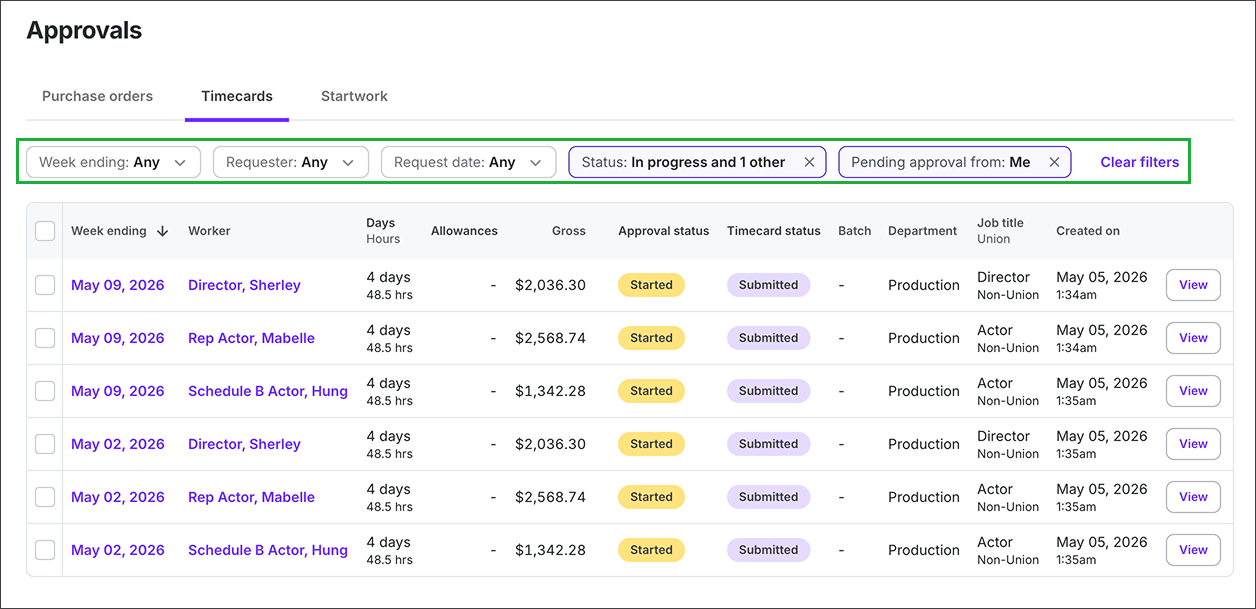
Click on any of the filters to refine the list of approvals. Use Clear filters to remove all filters set.
Timecard list columns
Each row in the list represents one worker's timecard. Here's what each column shows:
Column | What it means |
|---|---|
Week ending | The last day of the work week the timecard covers. Click the date to open the timecard submission. |
Worker | The name of the worker who submitted the timecard. |
Days / Hours | The number of days worked and total hours logged on the timecard. |
Allowances | The number of allowances (like kit fees or meal penalties) included. Click the number to open the submission and view allowance details. |
Gross | The total gross pay calculated for the timecard. |
Approval status | Where the timecard currently stands in the approval workflow. See Approval Status below. |
Timecard status | The submission state of the timecard (for example Submitted). |
Batch | The payroll batch the timecard has been assigned to, if any. |
Department | The department the worker belongs to on this project. |
Job title / Union | The worker's job title and union affiliation, if applicable. |
Created on | The date and time the timecard was created. |
Sortable columns
You can sort the list by clicking the column header for:
Week ending
Worker
Gross
Batch
Department
Job title
Created on
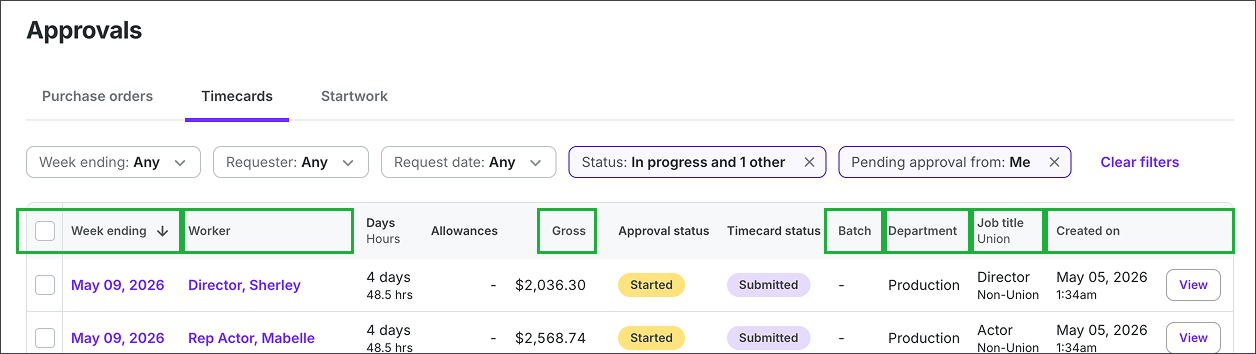
The columns highlighted are sortable. To sort by the column, click its header.
Approval status
Each timecard displays a status indicating where it stands in the approval process:
Started
The approval workflow is in progress. The timecard is moving through the required steps but hasn't been fully approved yet. By default, the Approvals dashboard filters to timecards in this state since they need attention.
Waiting on Approval
The timecard is at a specific step and is waiting for action from a particular approver.
Ready for Paymaster (union payroll projects only)
The timecard is awaiting review by the Paymaster before the approval process can continue.
Ready for Approval (union payroll projects only)
The Paymaster has completed their review and the timecard is ready for the next approver to act on.
Approved / You've Approved
All steps in the approval workflow have been completed.
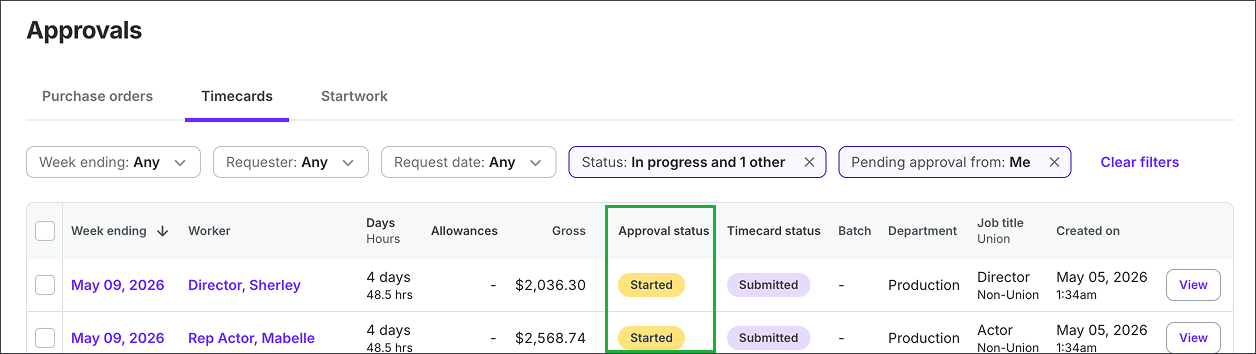
Use the Approval status column to see where in the approval process the timecard is
Option 1: Bulk approve from the dashboard
You can approve multiple timecards at once directly from the Timecards tab on your Approvals dashboard.
Check the box to the left of each timecard you want to approve. To select all visible timecards, check the box in the column header row.
A dark action bar appears at the bottom of the screen showing how many timecards are selected
Click the Actions button on the right side of the bar
Select Approve from the menu
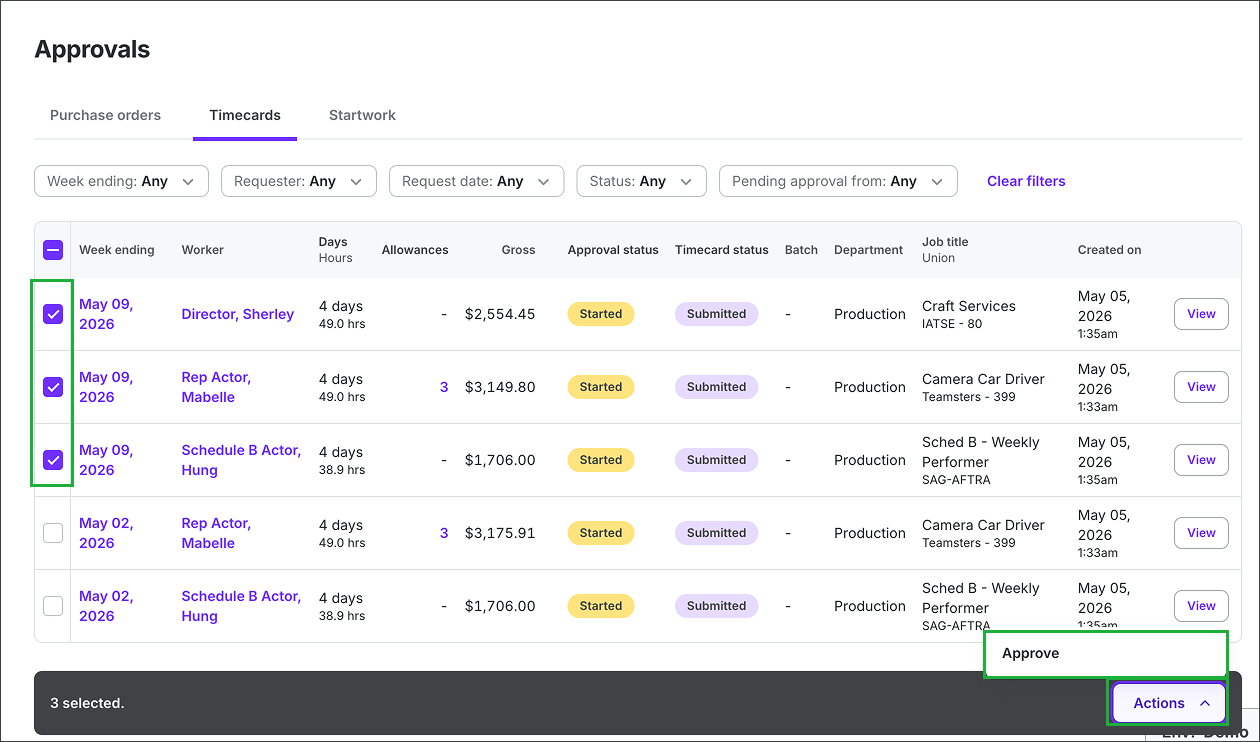
Click the checkmarks to select the timecards, then click the Actions button and select Approve
Option 2: Review and approve an individual timecard
For a closer look before taking action, open the worker's full timecard.
Click the View button on the right side of any timecard row. This opens the worker's individual timecard.
Review the wages, hours, allowances, and any alerts at the top of the page
When you're ready to act, click the Approve or Deny button in the top-right corner of the timecard
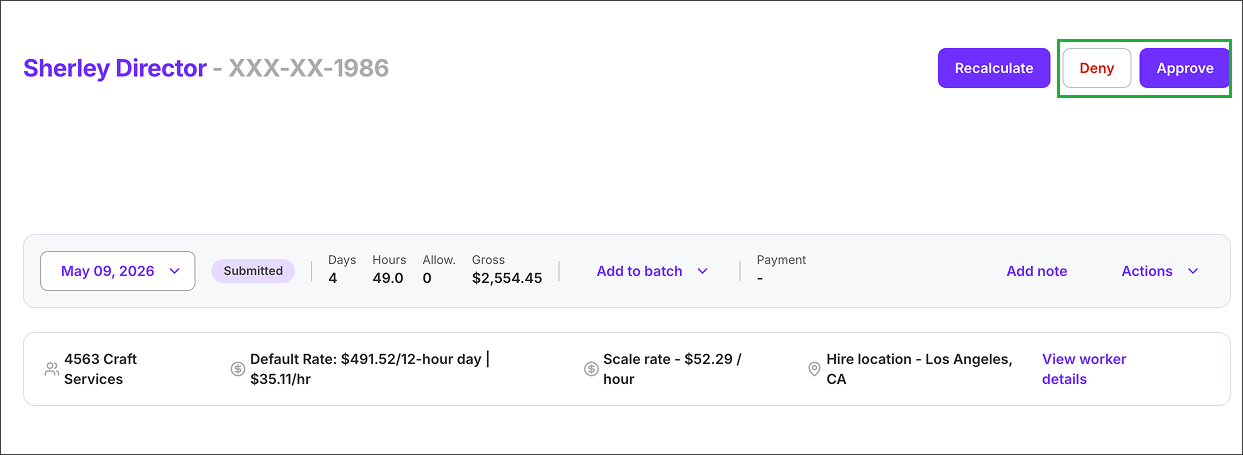
When reviewing indifidual project worker timecards, you can use the Deny and Approve buttons
What happens when you approve a timecard?
When you approve a timecard, it moves to the next step in your project's approval workflow. If you’re the final approver, the timecard status updates to Approved.
What happens when you deny a timecard?
When you deny a timecard, it is sent back to the worker with your reason for denial. The worker will be notified and can make corrections before resubmitting.
Denying a single allowance
If a timecard contains an allowance you want to deny — without denying the entire timecard — you can deny it individually from the timecard detail view.
Open the individual timecard by clicking the View button from the Timecards tab
In the Allowances section, click the three-dot menu (⋮) to the right of the allowance you want to deny
Select Deny
In the Deny allowance dialog, enter a reason in the text field
Click the Deny allowance button to confirm
The denied allowance is moved to a separate timecard so it can be tracked and approved independently. You'll see a confirmation message: Allowance has been denied and moved to another timecard.
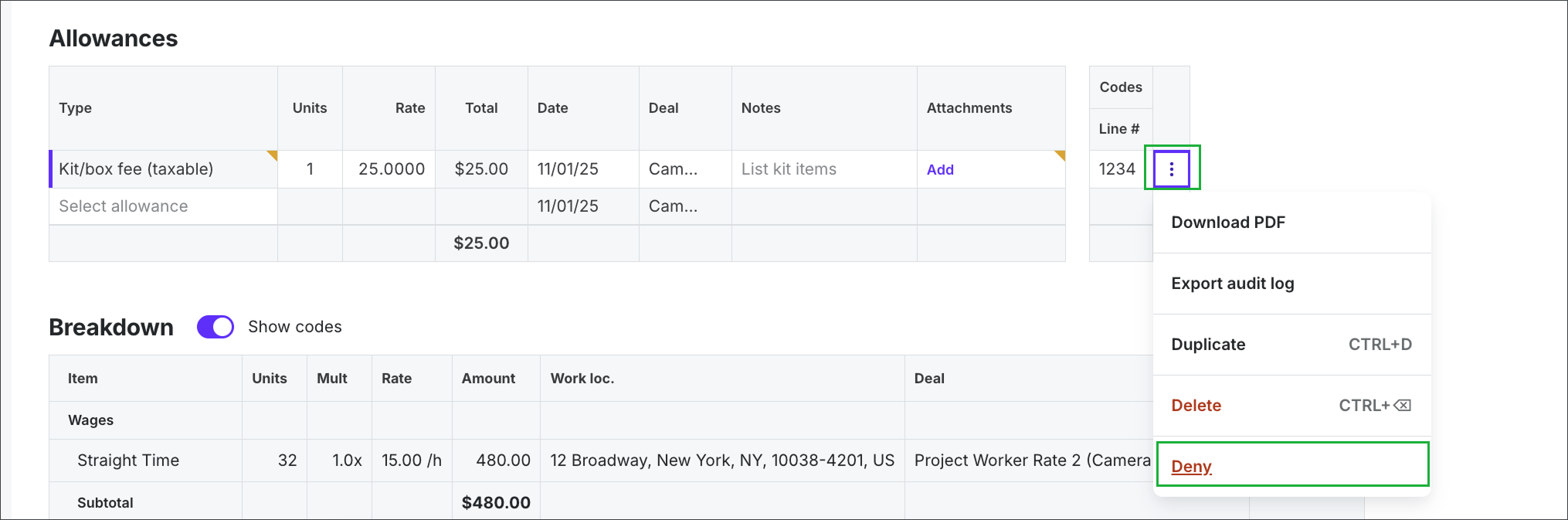
Scroll down to the Allowances section, click the three dots (⋮) next to the allowance and then select Deny
Viewing approval details
To see a full record of where a timecard is in the approval workflow — including which steps have been completed and who still needs to act — open the individual timecard and use the Actions menu.
From the Timecards tab of your Approvals dashboard, click the View button on the timecard you want to check
On the timecard page, click Actions in the top-right area of the timecard row
Select View approval details from the dropdown. This will open the Approval details drawer.
Using the Approval details drawer
The Approval details drawer gives you a snapshot of where a timecard stands in the workflow and who still needs to act on it.
At the top of the drawer, you'll see:
Approval status – The current status of the timecard
Remaining approvals – How many approval steps are still outstanding
Submitted by – The worker who submitted the timecard
Below that, the drawer has two tabs:
Progress – Shows each step in the workflow, the approvers assigned to that step, and how many have approved so far (e.g., "0 of 1 approved"). A clock icon next to an approver's name means their approval is still pending.
From the bottom of the drawer, you can also take action directly — click the Approve or Deny buttons without navigating back to the full timecard view
Activity – Shows a timestamped log of all actions taken on the timecard, such as when the worker created the approval request. You can also leave a comment directly from this tab:
Use the Send to dropdown to choose who will see your comment — select Approvers only to limit visibility to approvers, or choose another option to include the worker
Type your message in the Add comment field
Click the send icon to submit your comment
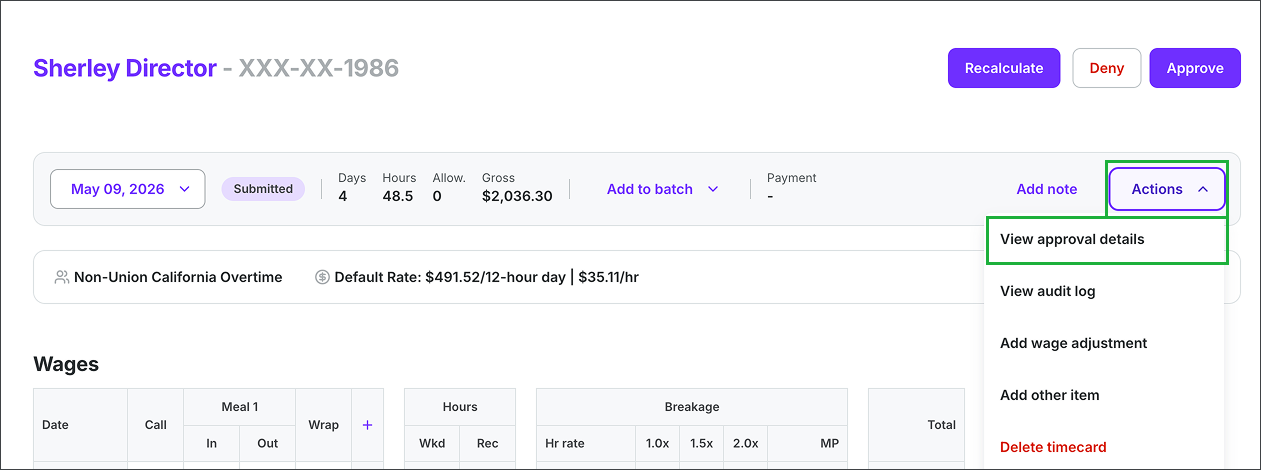
Click the Actions button and then select View approval details
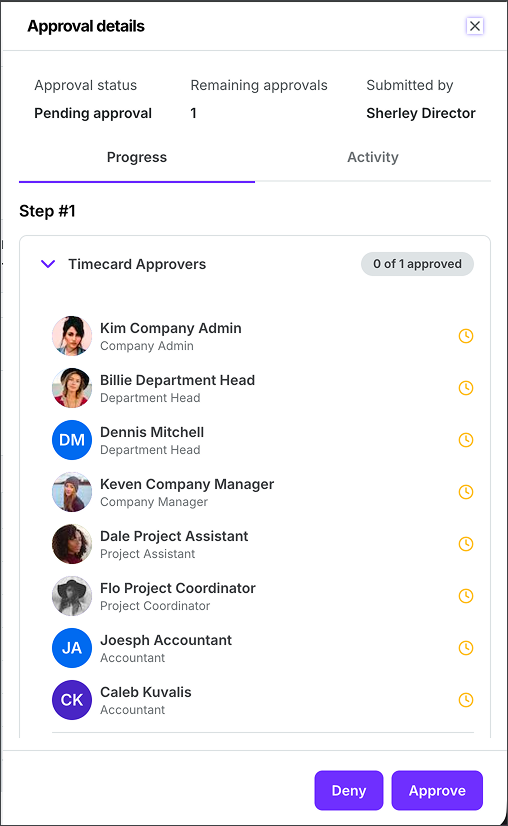
Example of the approval details for a project worker’s timecard
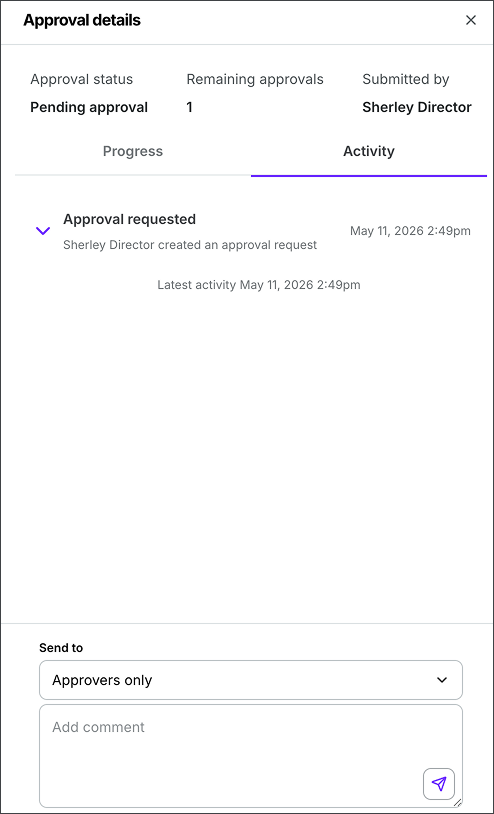
In the Activity tab, you can send messages to other members of the timecard approval workflow