Vendor payments in Production Accounting are permission based
To use PAS to pay vendors, your account must have one of the following roles enabled:
Role: Company Admin, Accountant
Custom role with: Accounting & Cost Tracking / Vendor payments - Full access
With Production Accounting enabled, you can export vendor payment information in Wrapbook to a CSV file. When exporting, you’ll have the option to select one or more vendor transactions that you want to export, or you can export all.
To export vendor payment information:
Make sure Production Accounting has been enabled for your company’s account
In the left-side navigation, click the dropdown menu
In the dropdown menu, select the project
In the left-side navigation expand the ACCOUNTING menu, and click Accounts payable
On the project’s Accounts payable dashboard, you can click the Export button, and then select Customize and export
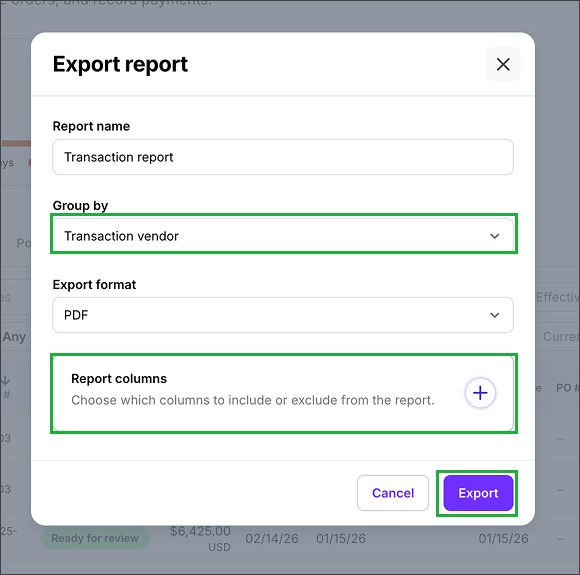
In the Export report popup, click the drop down menu under Group by and select, Transaction vendor. You can click the + icon to choose which columns you want to include or exclude from the report. When you're ready, click the Export button.
Once you click the Export button, the file will be automatically saved to your computer. To access the file, navigate to where your computer saves new downloads.
In the Export report popup, click the drop down menu under Group by and select, Transaction vendor. You can click the + icon to choose which columns you want to include or exclude from the report. When you're ready, click the Export button.