Overview
A worker profile in Wrapbook represents a person's unique digital identity as a laborer in the entertainment and film industry.
The profile is reusable across different projects and companies, allowing for seamless re-onboarding when workers move between jobs.
Worker profile overview
You can see an overview of a worker’s profile by clicking their name on the All people dashboard.
Worker profile details
You can see worker details on a project level from the project’s People dashboard.
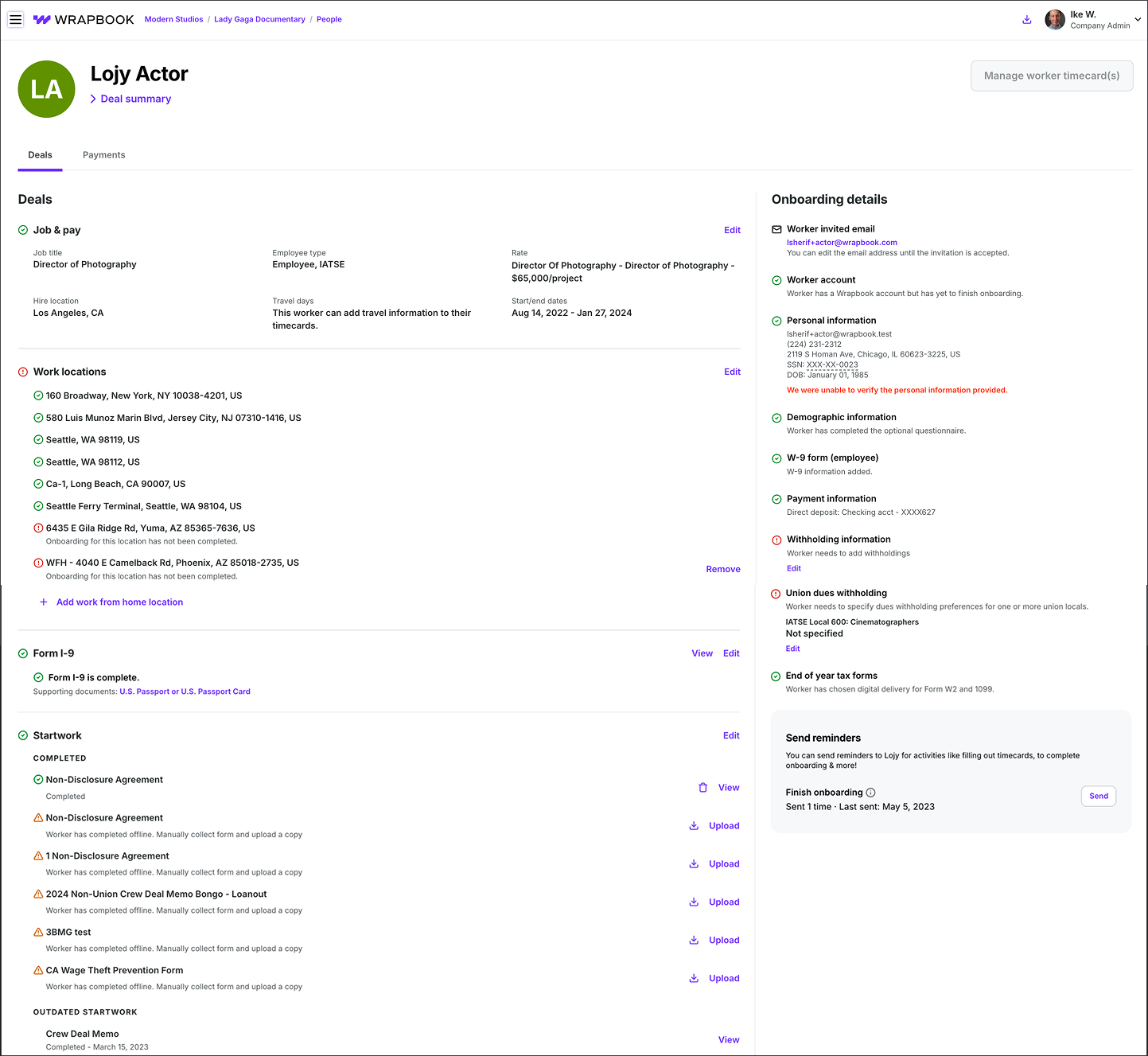
Example of the worker’s profile page for a selected project
On the project worker’s profile, you’ll see two tabs that contain details about the worker as they relate to the project.
Deals tab
Click the Deals tab to see the following:
Name
Deal summary of
Worker type(s)
Job title(s)
Union affiliation(s)
Rate
Job & pay
Job title
Employee type
Rate
Hire location
Travel days
Start/end dates (end date is optional)
Work locations
Form I-9 and supporting documents
Startwork
Onboarding details
Worker invited email
Note: The worker's invited email can only be edited before the invitation link has been accepted and before personal information has been manually entered. Once either condition is met, the email field is locked. To update a locked email address, contact the Wrapbook Support team.
Worker Wrapbook account status
Personal information, including email, phone number, address, SSN, and DOB
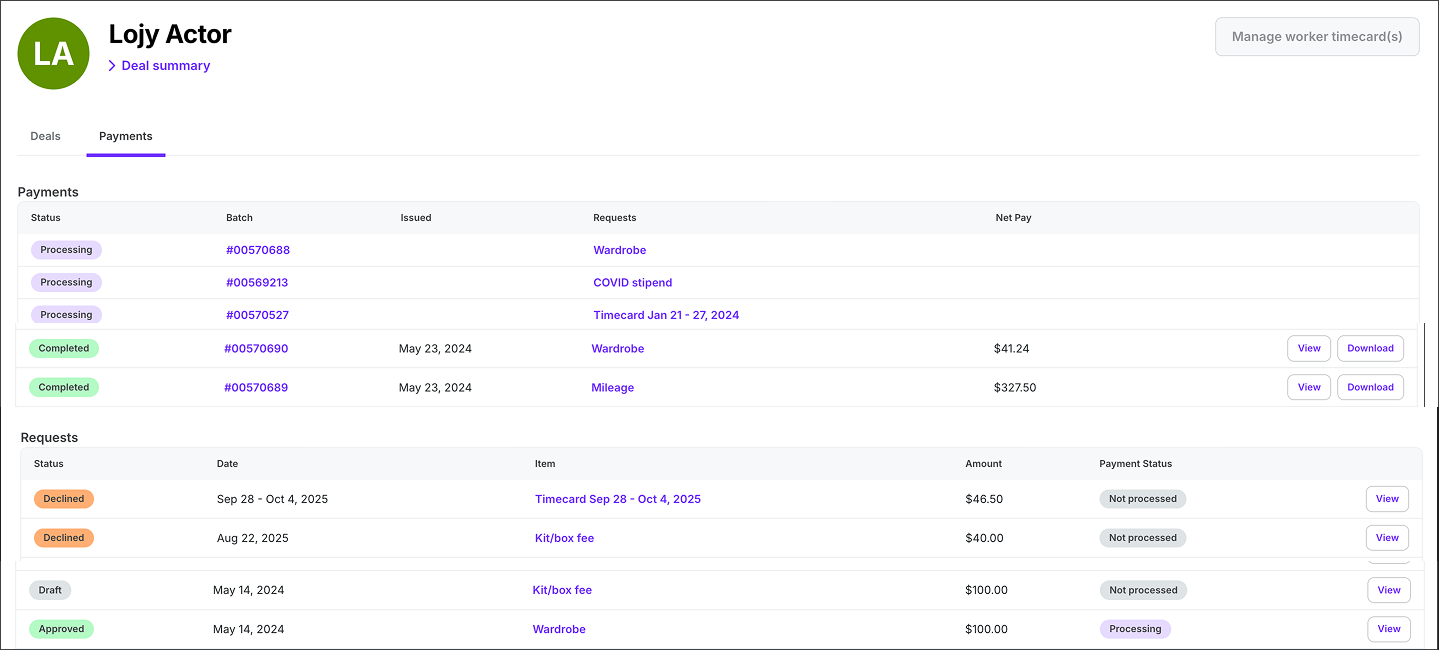
Example of the Payments tab on a project worker's profile page
Payments tab
Click the Payments tab to see the following:
Payments
Status
Batch
Issued date
Request type
Net pay
Requests
Status of request
Date
Item
Amount
Payment status
Quick access to worker profiles
When managing productions in Wrapbook, you can quickly access a worker's profile from a drawer without leaving the page you're on. Click a worker's name anywhere in Wrapbook and their profile opens in a drawer on the right side of the screen, so you can review or update their information without losing your place.
.png)
Click on a worker’s name to open the worker profile drawer
The drawer is available anywhere a worker's name appears as a clickable link, including:
When you open a worker profile in the quick-access drawer, you can do the following:
To expand to the full worker profile page, click the Expand icon at the top of the drawer.
To open the worker profile in a separate browser tab, click the Open in new tab icon at the top of the drawer.
To close the drawer, click anywhere outside the drawer or click X. Your page remains exactly as you left it.
Note: If you don't have permission to view a worker's full profile page, the drawer will not be available.