The user menu provides access to your personal account settings and preferences. Your initial settings and preferences are based on the information that you entered when your Wrapbook account was created, but you can update this information at any time.
Access the user menu
After you login to your Wrapbook account, you’ll be able to access the user menu by clicking on your account name at the top-right corner of any page in Wrapbook.
Worker navigation
As a worker, use the left-side navigation to move between your worker pages. The worker left-side navigation includes:
My projects — see all of the projects you have joined; click a project to open it
Payments
Tax documents
Settings
If you also have company access, click Switch to company view at the top of the worker navigation to return to the company experience.
User menu options
From the user menu, you can view the following…
My shared files
Click My shared files to access secure document sharing through your Wrapbook profile.
Click the Requests tab to:
See the log of file requests you’ve received, and responded to
Respond to file share requests by using the Upload button
Click the Shared Files tab access files that have been shared with you, and files that you’ve previously uploaded
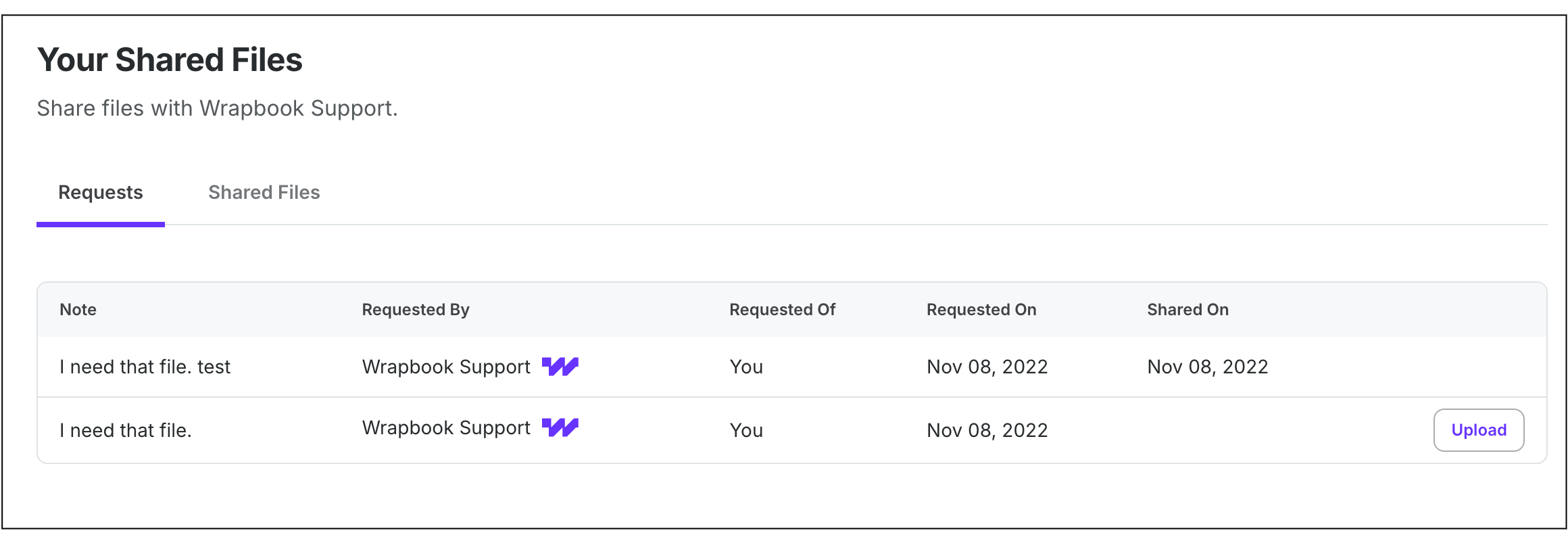
Example of the Requests view on a worker's Your Shared Files page
Account settings
Click Account settings in the user menu to view:
Headshot
Name
Role(s)
Emails
Phone
Notification settings
Password
Multi-factor authentication
Saved signature
Cookie preferences
Login sessions
From the Account settings page, you’ll be able to update any of the items listed above with the exception of Role(s) which is determined by your production administrators.
In the Login sessions section, you can use the Log out everywhere button to sign out of your Wrapbook account on all computers and devices where it has been previously accessed.
Notification settings
Click Notification settings in the user menu to view and customize the email notifications that you’d like to receive from Wrapbook. Users will see varying options of notifications settings based on their role and permissions granted in Wrapbook.
Notification option categories include the following:
Payables
Payroll Notifications
Project Notifications
Company Notifications
Approval Workflows
Marketing Emails
What’s new
Click What’s new to see Wrapbook announcements and feature updates. If there’s a new update, you’ll see a red dot next to this option in the user menu.
Help and support
To get help in Wrapbook, click Get help in the top-right corner of any page (next to your account menu) to open Scout, Wrapbook’s AI-powered assistant. Ask your question and Scout will help you find an answer, and can escalate to the Support team when you need more help.
You can also contact the Support team directly by email at support@wrapbook.com or by phone at 1-833-977-2665 (8AM–7PM Pacific, Monday–Friday). For more, see How to get help using Wrapbook.
Logout
Click Logout in the user menu to sign out of your Wrapbook account.