Overview
Authorized company team members can only make changes to a worker’s job details if the worker hasn’t been paid on any Wrapbook project before
If the worker has been paid previously, please contact our Support Team for assistance
For deal-related information (like allowances, rates, or work locations)
Administrators can make changes, but this will trigger a new approval workflow where the worker must review and approve the change
How to update a worker’s deal
To update a worker’s job details and pay rates:
In the left-side navigation, click the dropdown menu
In the dropdown menu, select the name of the project that the worker has been added to
In the left-side navigation, click People
On the project People dashboard, click the View button next to the worker that you want to update
Next to Job & pay, click Edit
Click on the fields to update the details
Click the Save button when you’re finished
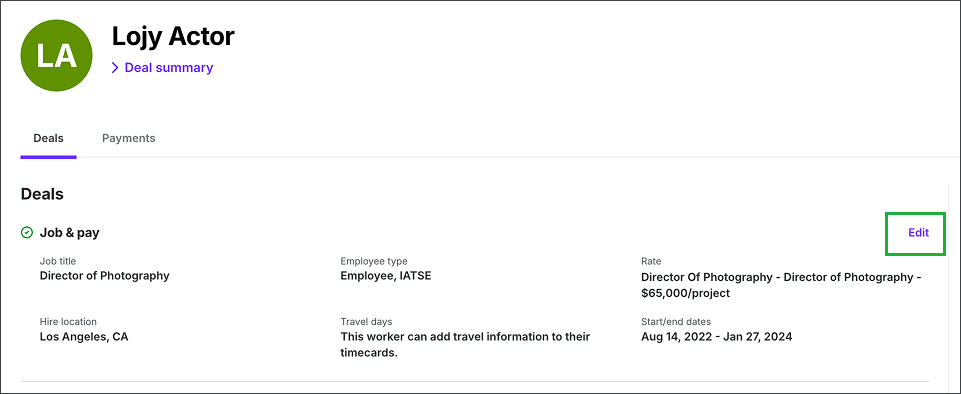
Click Edit
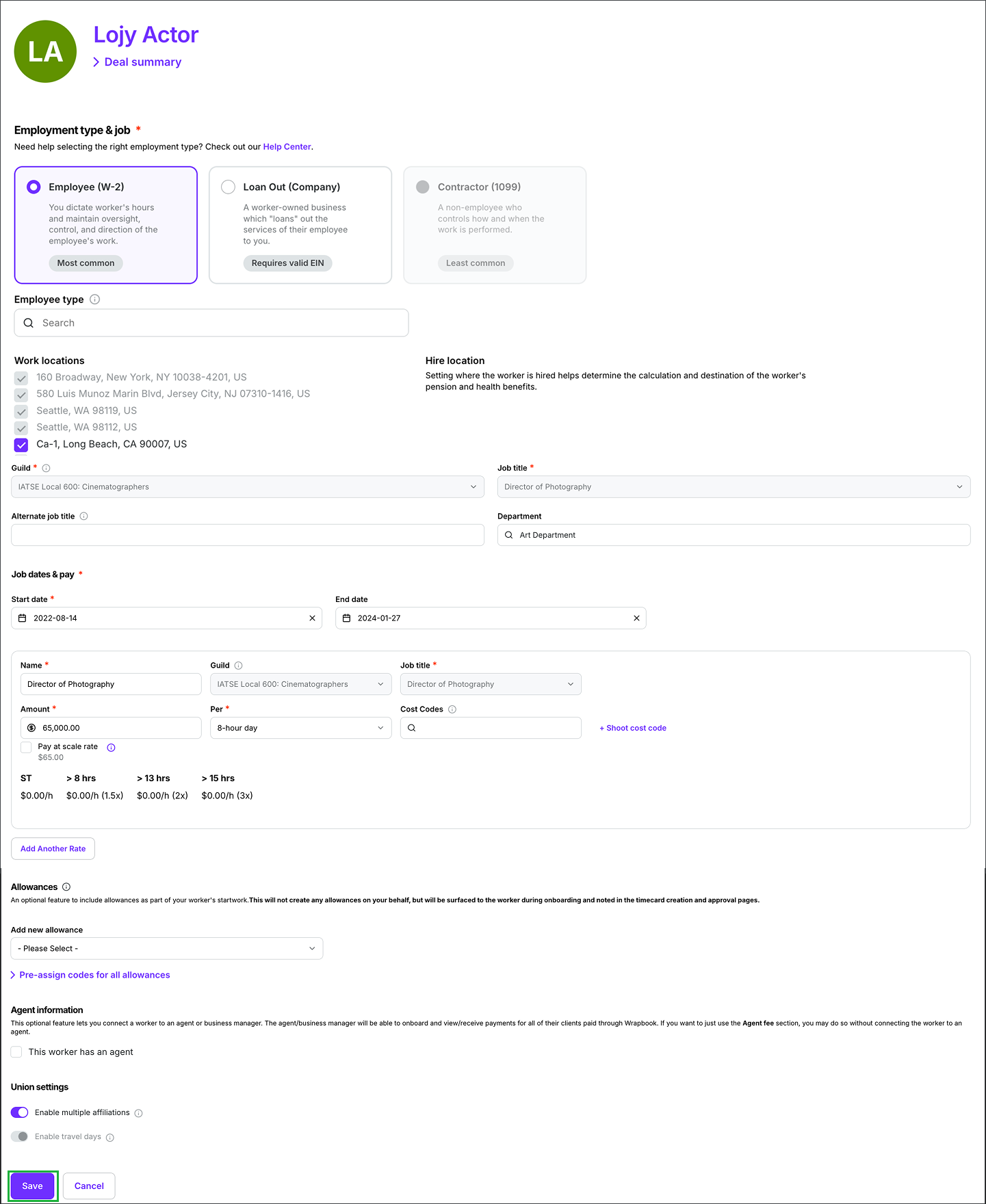
Click on the fields to update the worker profile and then click the Save button
Change forms
A change form is a regenerated startwork document that Wrapbook automatically creates when you update a project worker's deal terms after they have already signed their original startwork. When certain deal details change, such as pay rates, allowances, or deal dates, any startwork documents that contain smart fields tied to those details need to be re-issued and re-signed to reflect the updated terms.
Note: A change form is only generated when the affected deal has startwork documents with smart fields linked to the changed deal information (for example, a Crew Deal Memo with rate smart fields). If no startwork documents are connected to the updated fields, no change form will be generated.
What triggers a change form?
A change form is triggered when you edit any of the following deal details after a worker's startwork has already been signed:
Pay rates (rate adjustments, added rates, or rate name changes)
Allowances
Job title
Union/Guild affiliation
Deal notes
Deal dates (start or end date)
What happens when a change form is triggered?
When a change form is triggered, Wrapbook:
Regenerates the affected startwork document(s) with the updated deal information pre-populated in the smart fields
Sends the worker an email notification letting them know their startwork has changed and they need to re-sign
Resets the worker's onboarding status until they complete re-signing
Blocks timecard submission until the change form is signed
What do you need to do after making a change?
After saving changes to a worker's deal:
Confirm the change form was generated — check the worker's startwork status in their worker profile
Notify the worker if needed — Wrapbook automatically sends an email, but you may want to follow up directly to ensure they're aware
Monitor re-signing — track the worker's onboarding status to confirm they've completed re-signing before their next payroll deadline
Counter-sign if required — if your startwork documents require a production counter-signature, you'll need to sign the regenerated document after the worker has signed it