Setting a default rate on a project worker’s timecard is permission based.
To set the default rate on a project worker’s timecard, your account must have one of the following roles enabled:
Role: Company Admin, Company Manager, or assigned Project Coordinator
Custom role with: Projects, People & Approvals/Project management - Full access, or Manage; Payroll & Financials/Timecards - Full access, or Create and manage
Overview
If a worker has multiple rates on a project, you can set a default rate to speed up timecard entry. The default rate pre-fills automatically on new, unsubmitted shifts and allowances — so neither the company user nor the worker has to manually select it each time a new timecard is created.
The default rate is a project-level setting, meaning it applies only within the project it was set on, since rates are configured per project. Both company users and workers can set or update the default rate, and changes are reflected on both sides.
How to set a default rate for a project worker
Go to the project worker’s timecard
In the Wages grid, for any shift worked, click the cell in the Deal column to open a dropdown list of rates the worker has for the project
Scroll to the bottom of the dropdown list, and click the Set default rate button
In the Default rate drawer, select the rate you want to set as the default
Click the Save button
The selected rate will now pre-fill on any new shift or allowance added for this worker. The worker will also see this rate applied on their timecard view. Existing entries are not affected.
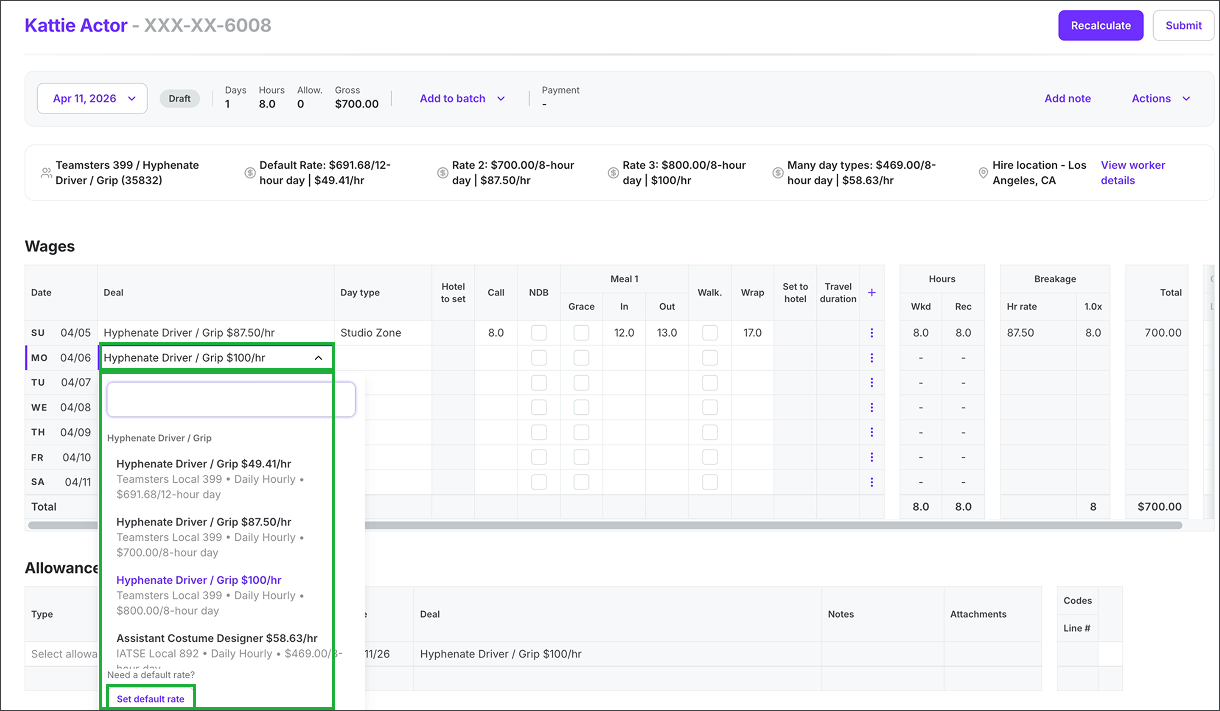
Click on a cell in the Deal column, then click the Set default rate button
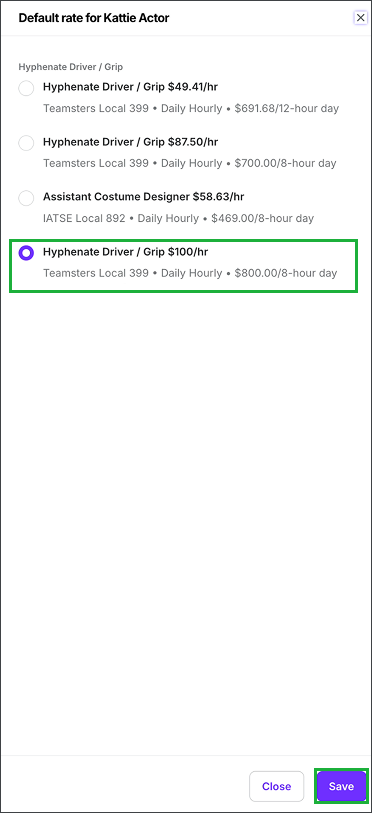
In the Default rate drawer, click to choose the default rate, and then click the Save button