Workers classified as employees are required to submit their W-4 before their timecards can be submitted and paid. Form W-4 only needs to be filled out once per production company and is carried over to other projects the company hires you for.
You must complete Form W-4:
When you’re hired by a production company as an employee
If you experience life changes that affect your tax situation (marriage, divorce, new dependents)
If you want to adjust your withholding amount
Why Form W-4 is important
Your W-4 ensures:
The correct amount of federal income tax is withheld from your pay
You don't end up owing a large amount at tax time
You don't have too much withheld, which would result in waiting for a refund
About Exempt status
Exempt status is typically claimed by workers who didn’t have any taxes withheld the previous year, and aren’t expecting to owe any for the current year.
Marking yourself as exempt from withholding on your Form W-4 means that you're requesting your employer to not withhold any federal income tax from your paycheck.
Before claiming exempt status, you should consult a tax professional as Wrapbook cannot provide specific tax advice. Making this choice incorrectly could result in owing a large amount at tax time, along with interest and penalty charges.
If you mark yourself as exempt from withholding, you'll need to re-sign your W-4 form each year by mid-February. If you don't re-sign by the deadline, your withholding status will automatically change to single with maximum withholding.
What to expect when completing your Form W-4 in Wrapbook
During project onboarding:
Wrapbook will determine which withholding forms you need based on situational factors such as work location and state of residence
If you need more information about how to complete a form, click the Show Instructions link to see official state and local guidance for form completion
Your signed PDFs are generated from your answers and stored with your project in your Tax documents
If your situation changes, you may need to review and submit updated forms
If you need help determining your withholding amount, consult a tax professional. Wrapbook cannot provide specific tax advice.
For official guidance on completing Form W-4:
Look for the links to official instructions provided while
Visit the official IRS website: About Form W-4
Use the IRS Tax Withholding Estimator: Tax Withholding Estimator
Review IRS Publication 505: Tax Withholding and Estimated Tax
How to complete Form W-4 in Wrapbook
Start your project onboarding, or go to your Tax documents dashboard in Wrapbook to update your existing withholding
Answer the guided questions - the system determines which state and local tax forms may be required in addition to your W-4
After you answer the questions, a preview of your Form W-4 will appear on the page, where you can review the information that has been added to the form based on your answers to the previous questions
If you see something in the preview of your Form W-4 that should be corrected, you can click the Edit button to return to the questions so you can update your answers as needed
Click the box under Please enter your full name to sign and enter your name exactly as it appears in the preview of your W-4
Click the Sign & continue button. Your W-4 will be generated as a PDF and stored in your Tax documents dashboard in Wrapbook.
.png)
On the Let’s find your withholding form page, click to choose your response and then click the Continue to W-4 button. To review instructions in another browser tab, click the link to the official form.
.png)
Review the information, click on the box under Please enter your full name to sign and enter your name exactly as it appears in the preview of your W-4, and then click the Sign & continue button.
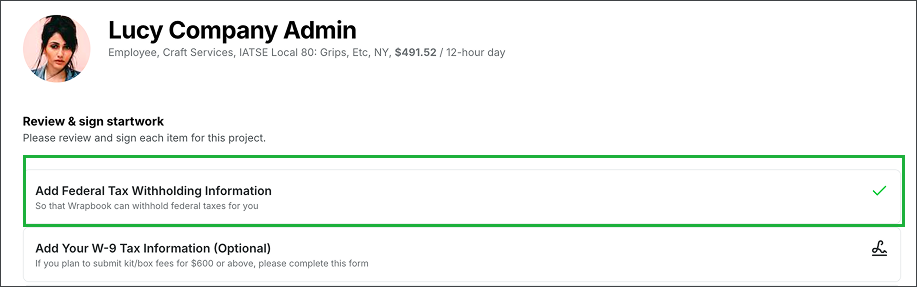
Once you’ve completed your Form W-4, a green check mark will appear next to Add Federal Tax Withholding Information on your Review & sign startwork page
How to view your federal tax withholding information
Once signed, you can view your completed Form W-4 on your Tax documents dashboard.
Here’s how:
In the left-side navigation, click Tax documents
On your Tax documents dashboard, click the Tax withholdings tab, and then click the View button next to W-4
From here, you can:
Review the Log of Events related to your W-4
Click on the form to expand and review the information that you previously entered
Click the Edit button to update your Form W-4
Click the Download button to save a pdf copy of your Form W-4 to your device
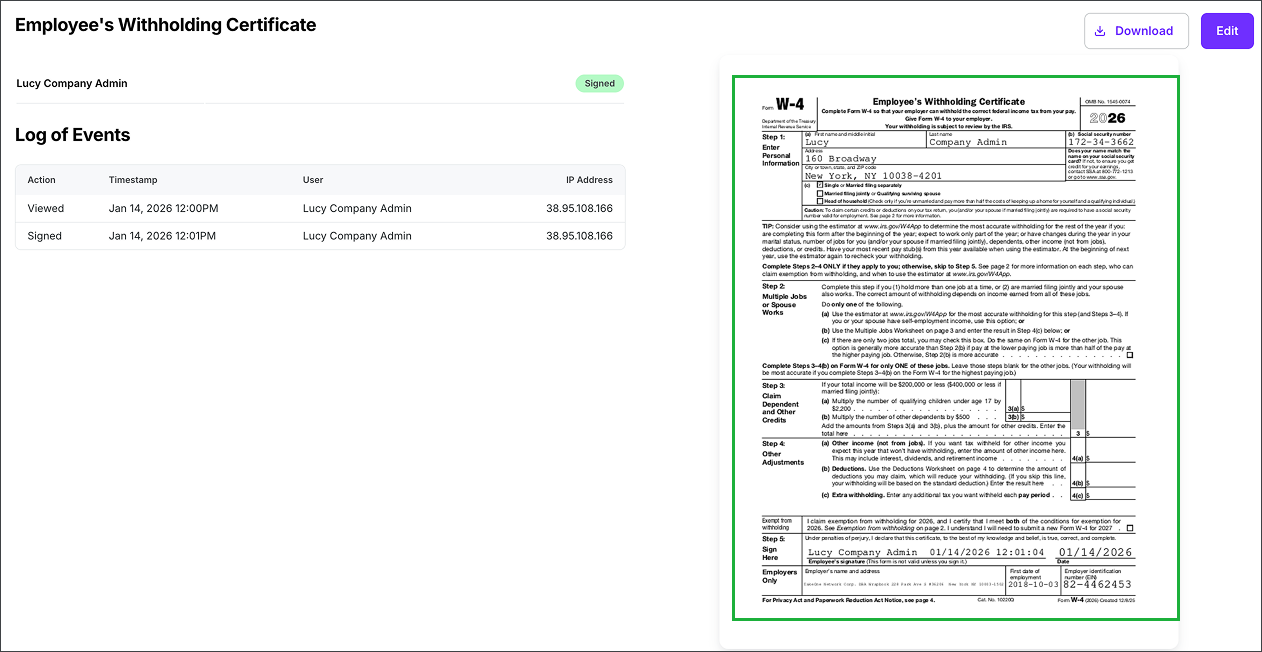
You can review the Log of Events, click to expand the form, click the Edit button to make changes, or click the Download button to save a PDF copy of your Form W-4 to your device
How to adjust the amount of your federal tax withholding
Use these steps when you need to change your federal tax withholdings for a project that you’re working on.
In the left-side navigation, click Tax documents
On your Tax documents dashboard, click the Tax withholding tab, and then click the Edit button next to Federal
Answer the guided questions and prompts to update your withholding
Once you’re finished updating your form, click the Save button
On the Review and sign page, enter your name as it appears in the preview of your Form W-4, and then click the Sign & continue button
Once you sign your tax withholding form, the changes will be applied to your pay for the next payroll cycle.
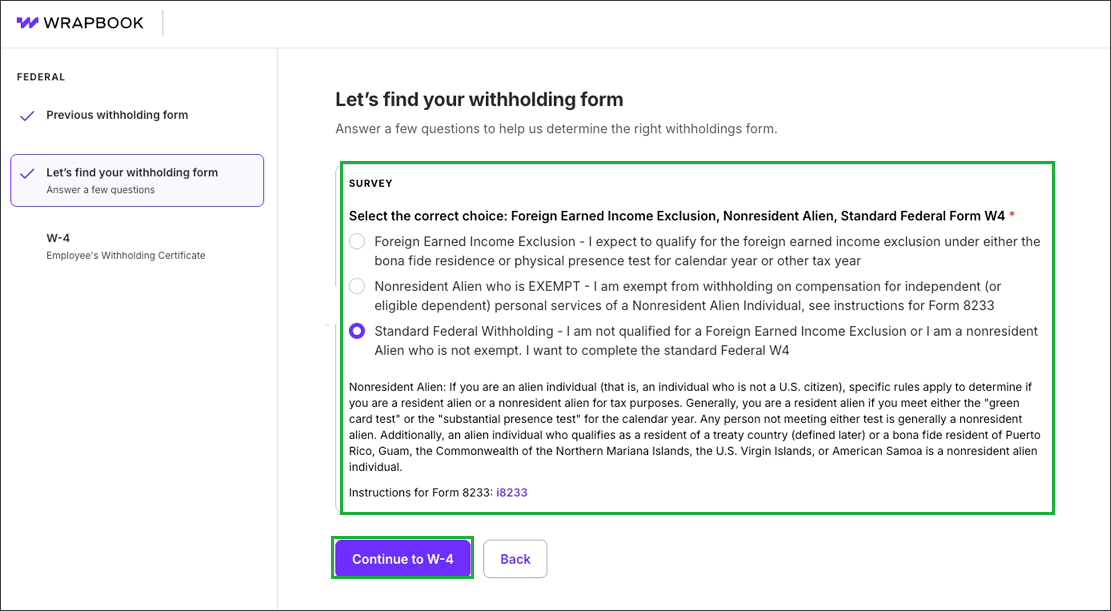
Answer the guided questions and prompts to update your withholding
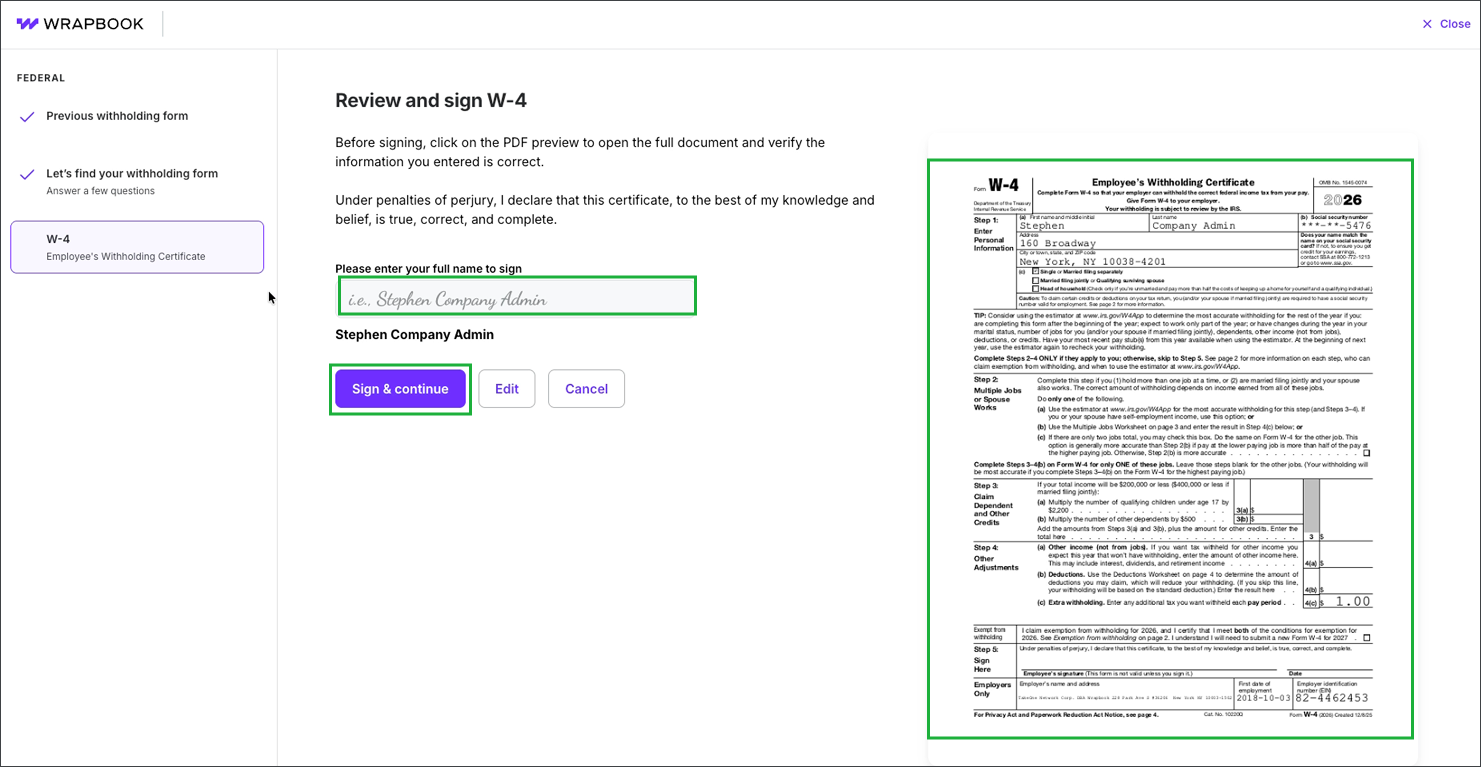
Review the information on your updated W-4, then click on the box under Please enter your full name to sign and enter your name exactly as it appears in the preview of the form. When you’re ready, click the Sign & continue button.