Wrapbook’s Rate Finder is a free, web-based tool designed to help you quickly find scale rates for major film and TV unions. Whether you’re budgeting a shoot or double-checking a rate, this guide walks you through how to access and use it in just a few steps.
Step 1: Access the Rate Finder
Click the Get Access button or scroll down to the access form.
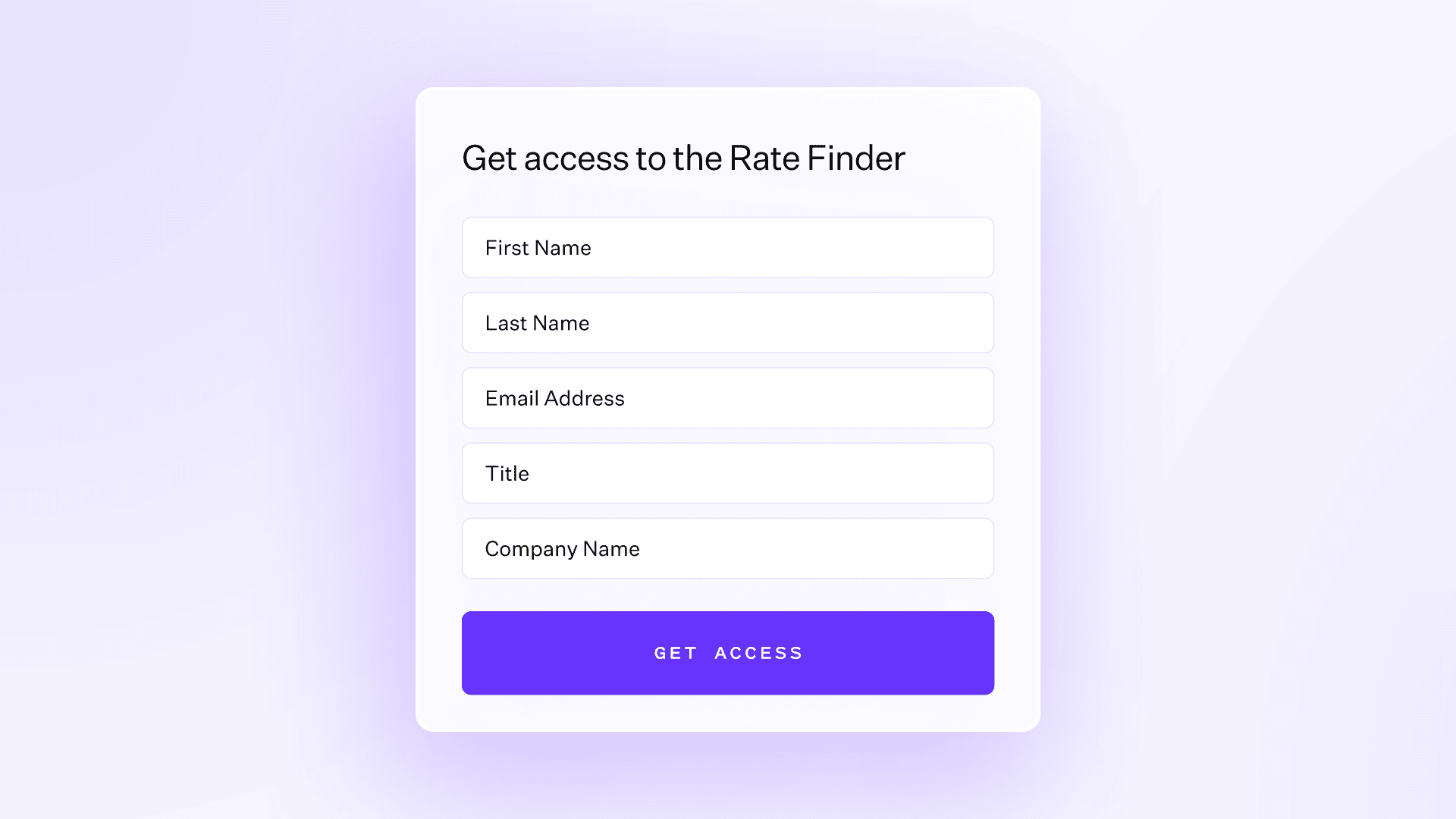
Enter a few quick details (name, email, role, etc.) and click the Submit button.
Once you’re in, you’ll be directed to the Rate Finder dashboard.
Step 2: Explore the dashboard
You’ll arrive on a page that looks like this:
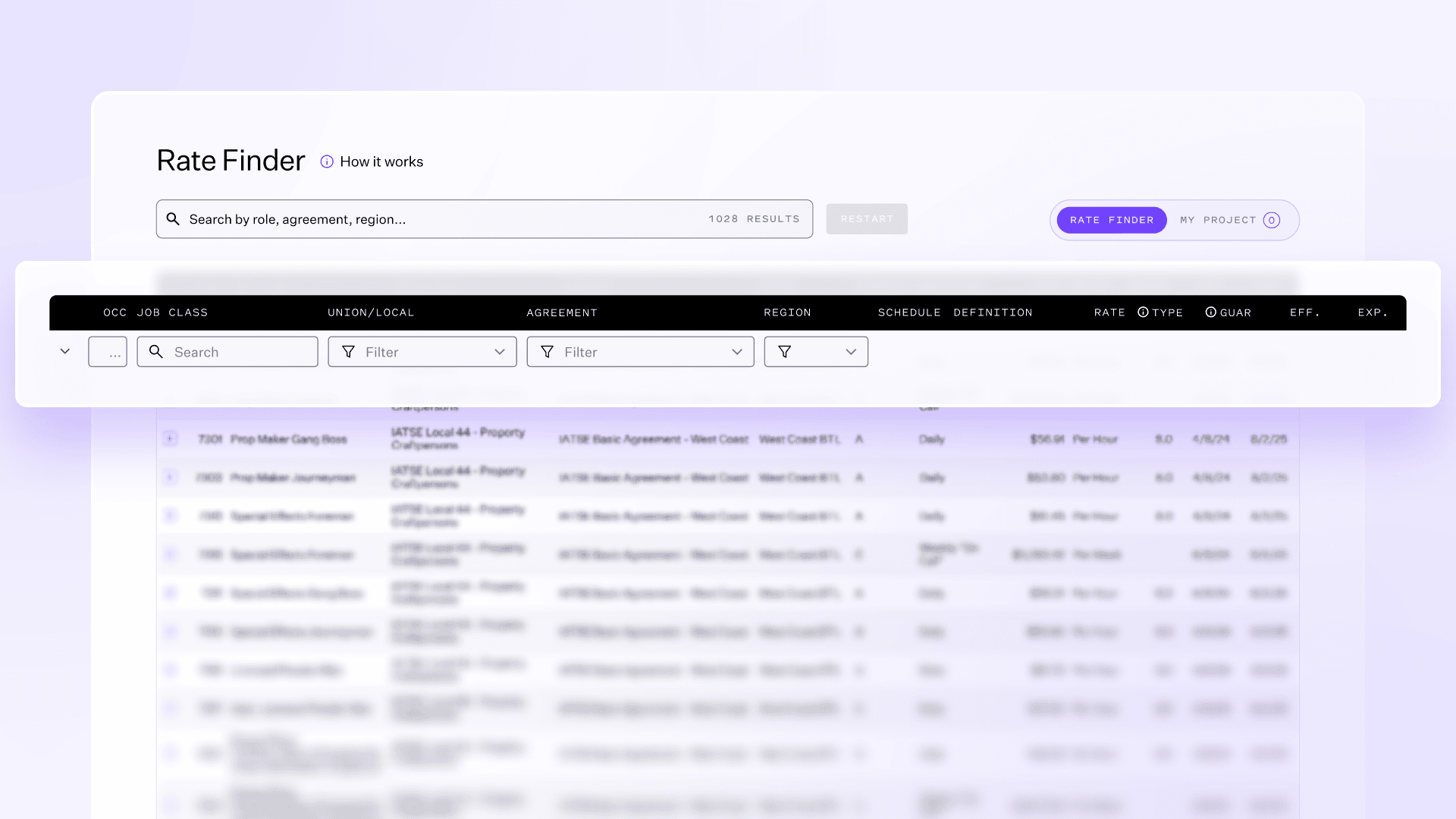
At the top, you’ll see:
Coming Soon: Updates about new features (like expanded rates)
How it works: The basics of how to use the Rate Finder
Contact info: Reach out to ratefinder@wrapbook.com with questions and feedback. You can also leave feedback directly on the page.
Step 3: Search or filter for rates
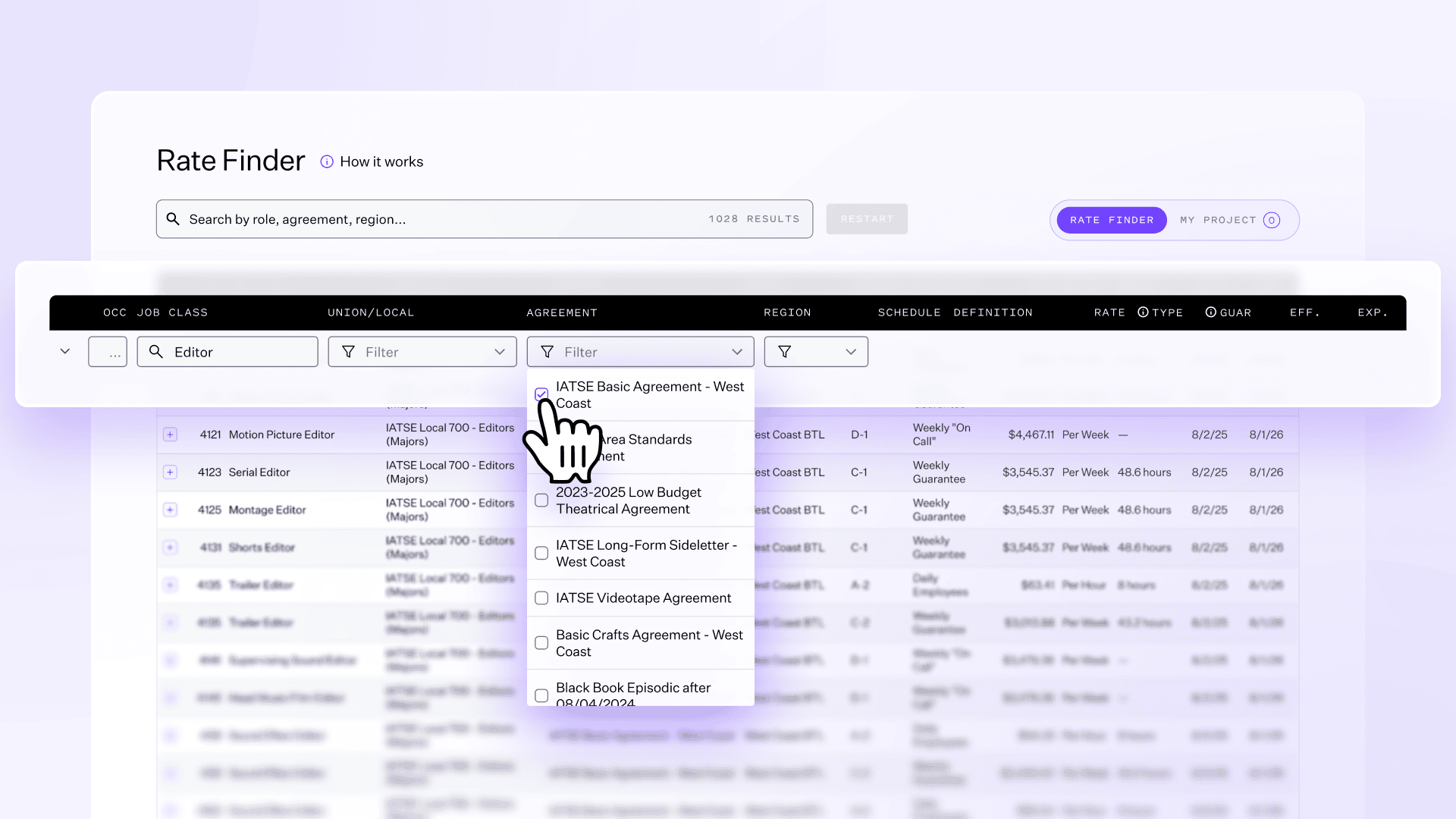
You can find the rate you need in seconds using one of three methods:
Column filters
Use dropdown filters under Union/Local, Agreement, or Region to search or refine your search.Search bar
Type a job title, union, or keyword (for example, Editor, bb, UPM or Local 600) to instantly pull up results.Restart button
To return to the full table view, click Restart.
Step 4: Save rates to “My Project”
Once you find a rate you use often, click the + icon next to it. This adds it to your My Project list — a personalized space where you can save, view, and manage frequently used rates.
To view your saved rates, click My Project near the top right.
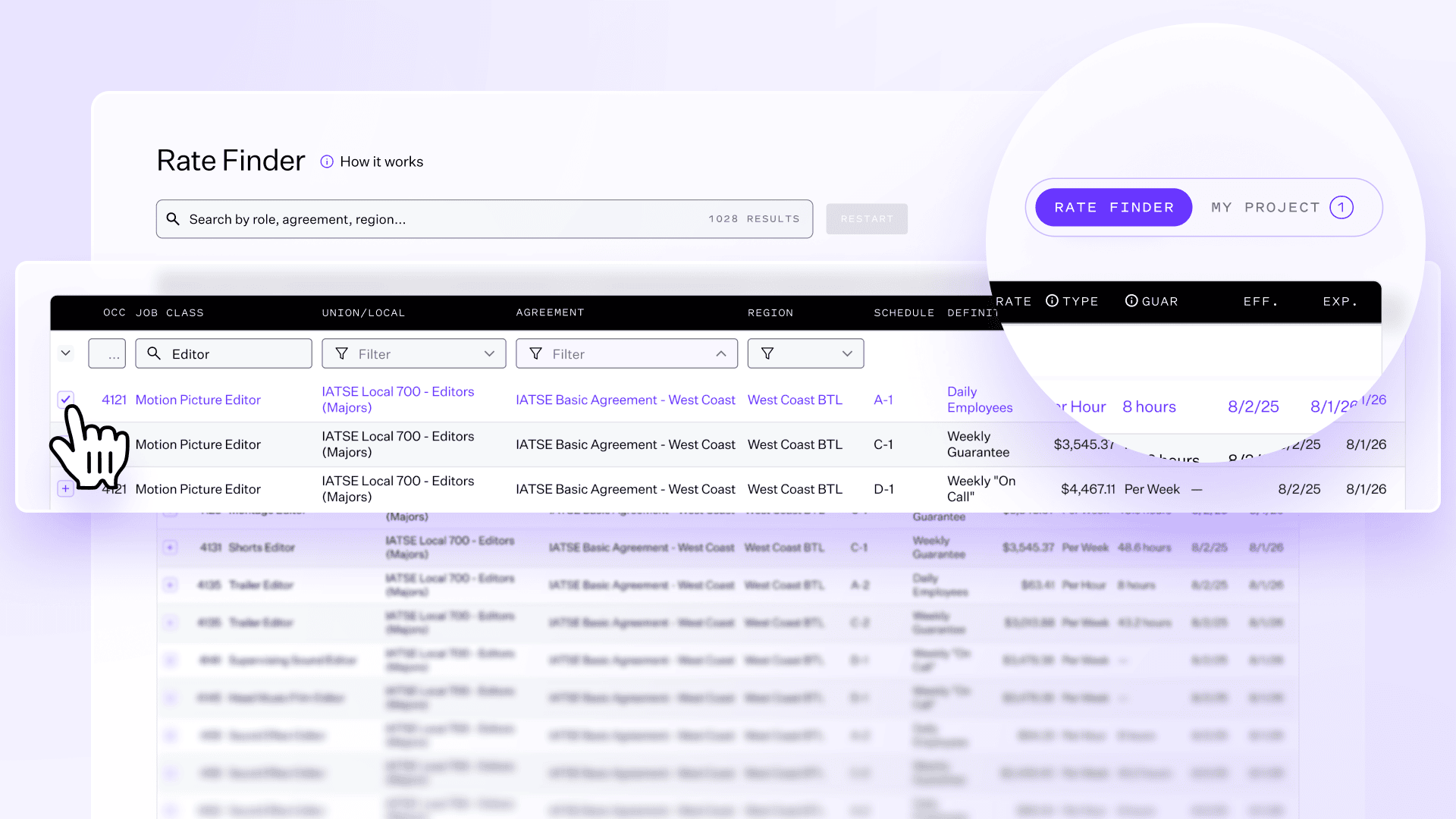
You can easily remove saved items or add new ones as needed.
Step 5: Learn more about fringes
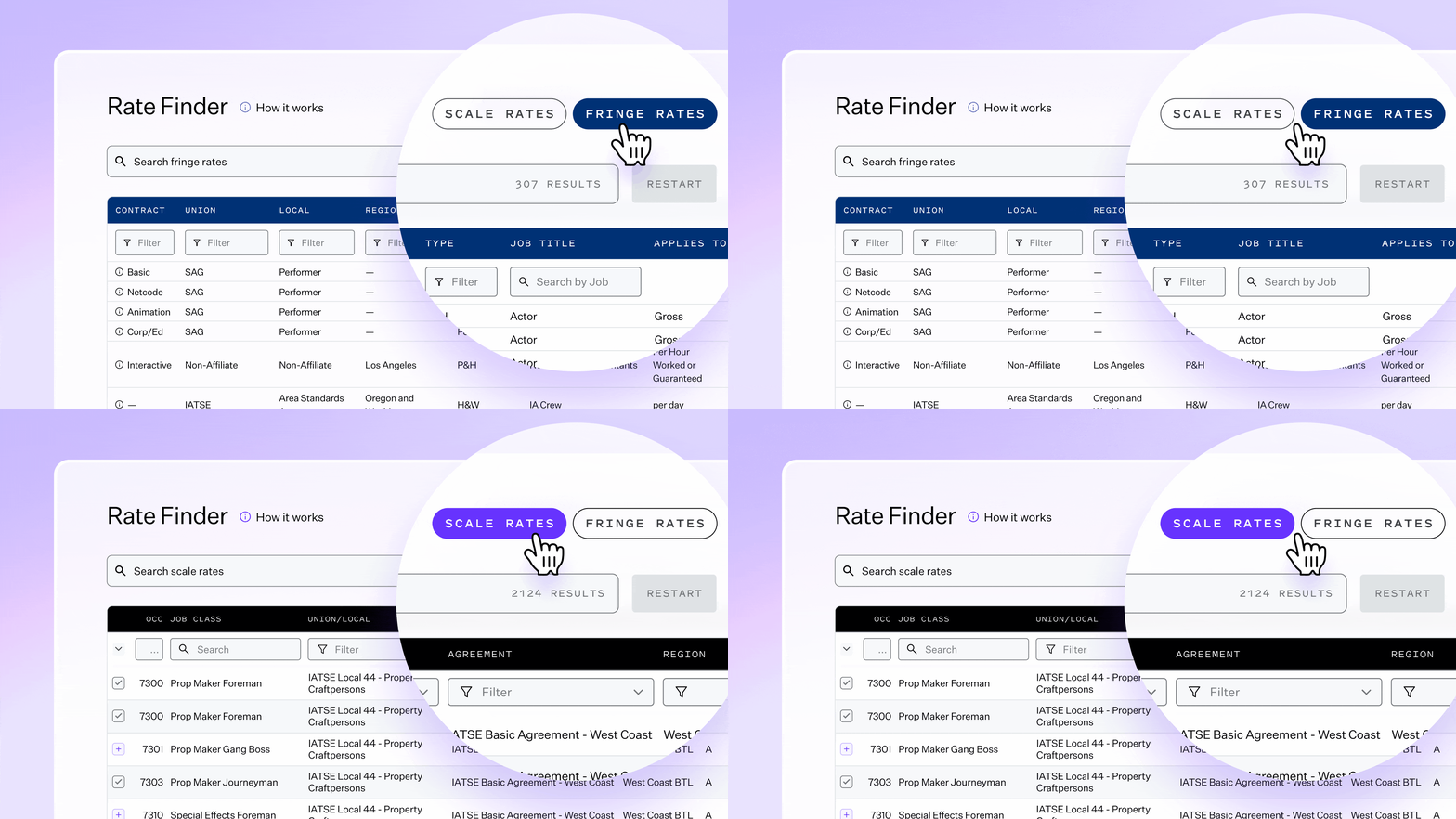
Once you’ve found your rates, you can dive deeper into various elements of your necessary pension, health, & wellness. Remember, these fringes do not include taxes.
Click the “Fringes” navigation on the top-right corner of the Rate Finder to explore these additional sections. They’re designed to help you interpret rates and better understand how union agreements impact your total costs. You can also click the small “i” icon on the left side of each contract to learn more details about that specific agreement.
Step 6: Stay updated
The Rate Finder officially launched on August 28, 2025, and continues to expand with new agreements and rates.
October 7, 2025: Low Budget Agreements were added
January 2026: Commercial Agreements, Fringes, and more
Check back frequently to see what’s new, or explore the Coming Soon section at the top of the page for upcoming releases and planned enhancements.
Need help?
Reach out to ratefinder@wrapbook.com with questions, feedback, or feature suggestions — the Rate Finder team would love to hear from you.
Rate Finder Updates — FAQ
1. What are fringes?
Fringes are the additional costs that employers are required to pay on top of base wages—typically covering things like health, pension, and other union benefits. These can vary widely by union, agreement, and location.
2. Where can I see fringe rates in Rate Finder?
Once you’ve found your rates, you can dive deeper into various elements of your necessary pension, health, & wellness. Remember, these fringes do not include taxes.
Click the “Fringes” navigation on the top-right corner of the Rate Finder to explore these additional sections. They’re designed to help you interpret rates and better understand how union agreements impact your total costs.
3. Are commercial fringes included?
Not yet. Commercial base rates are available, but commercial fringe data is not currently surfaced. We're actively working on expanding that coverage.
4. Why isn’t SAG-AFTRA Commercial included?
SAG-AFTRA Commercial agreements are highly nuanced and can vary based on factors like contract structure, usage, and project-specific terms. Because of this variability, rates are often best reviewed in the context of a specific production rather than presented as standardized references. For guidance on SAG-AFTRA Commercial rates for your project, we recommend connecting with your Account Executive or Customer Success Manager, who can help point you in the right direction. You can always visit the SAG-AFTRA website.
5. Which union fringes are covered?
Initial fringe coverage includes major Film & TV union locals including DGA, IATSE, L.A. Basic Crafts, LA. IATSE, Non-Affiliate, SAG-AFTRA, and WGA.
6. Do the fringes include taxes, processing fees, etc.?
No. These fringes reflect only the designated union contributions and do not include taxes, processing fees, or other additional costs.
7. How accurate is the data?
Fringe data is sourced from the same agreements and documentation used by our labor and compliance teams that come from the agreements themselves. If you have any questions regarding accuracy, contact us at [ratefinder@wrapbook.com] and we’ll put you in touch with our Labor team.
8. Can I export or save this data?
Not at this time. Rate Finder is meant for quick reference. For detailed breakdowns or payroll use, we recommend working with your CSM or contacting support.
9. What if I don’t see the fringe or agreement I need?
You can email [ratefinder@wrapbook.com] to ask questions or request additional coverage. We’ll make sure your note gets to the labor team.
10. I'm a client—should I contact my CSM or use the email?
If you're a current Wrapbook client, your CSM is always a great first stop. But you're also welcome to email [ratefinder@wrapbook.com] for questions or feedback—especially if it’s about fringe visibility or Rate Finder functionality.