Wrapbook Timecards allow productions to record and approve hours worked, track earnings, and prepare payroll for cast and crew. Timecards capture important information such as worked hours, meal penalties, overtime, allowances, and other pay elements required for payroll and union compliance.
Wrapbook currently supports two versions of the Timecards Experience:
New Timecards Experience
The New Timecards Experience is the latest version of timecards in Wrapbook and is used by most companies. It includes an updated interface and improved workflows for entering, reviewing, and approving timecards.
If your company is using the new experience, refer to the documentation in the Timecards (New Experience) section.
Legacy Timecards Experience
Some companies may still be using the Legacy Timecards Experience. These accounts will continue using the legacy workflows until they are transitioned to the new experience with assistance from their Customer Success Manager (CSM).
If your company is using the legacy experience, refer to the documentation in the Timecards (Legacy Experience) section.
How to identify which version of the Timecards Experience (New or Legacy) you’re using
Here are a few easy ways to identify which version of the timecards experience you are using:
In the left-side navigation
New Experience
In the New Experience, there’s a Timecards dashboard in the Payroll menu.
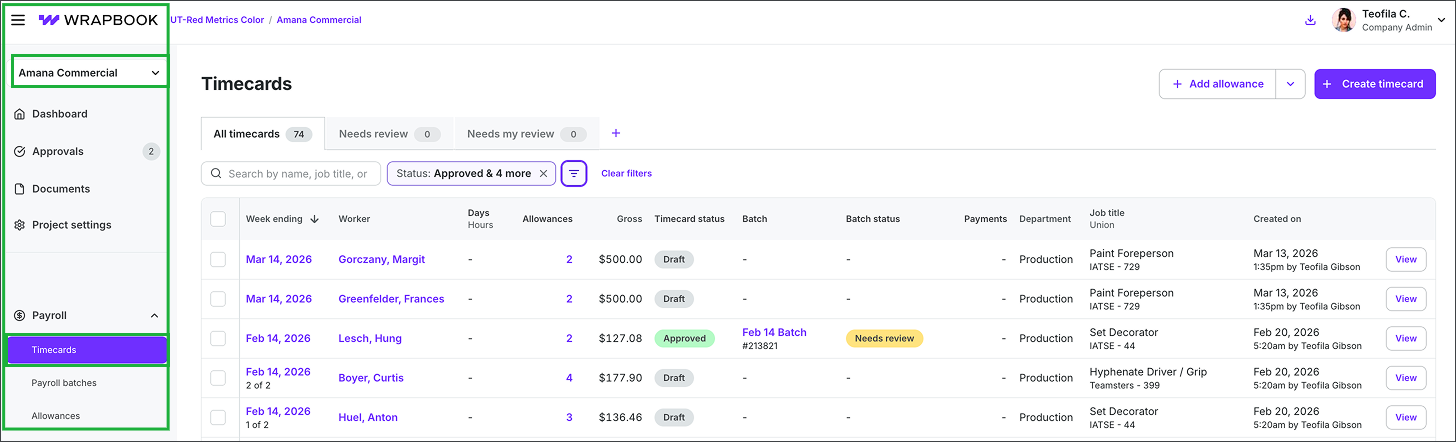
New experience
Legacy Experience
In the Legacy Experience, there’s a Timecards & expenses dashboard in the PAYROLL menu.
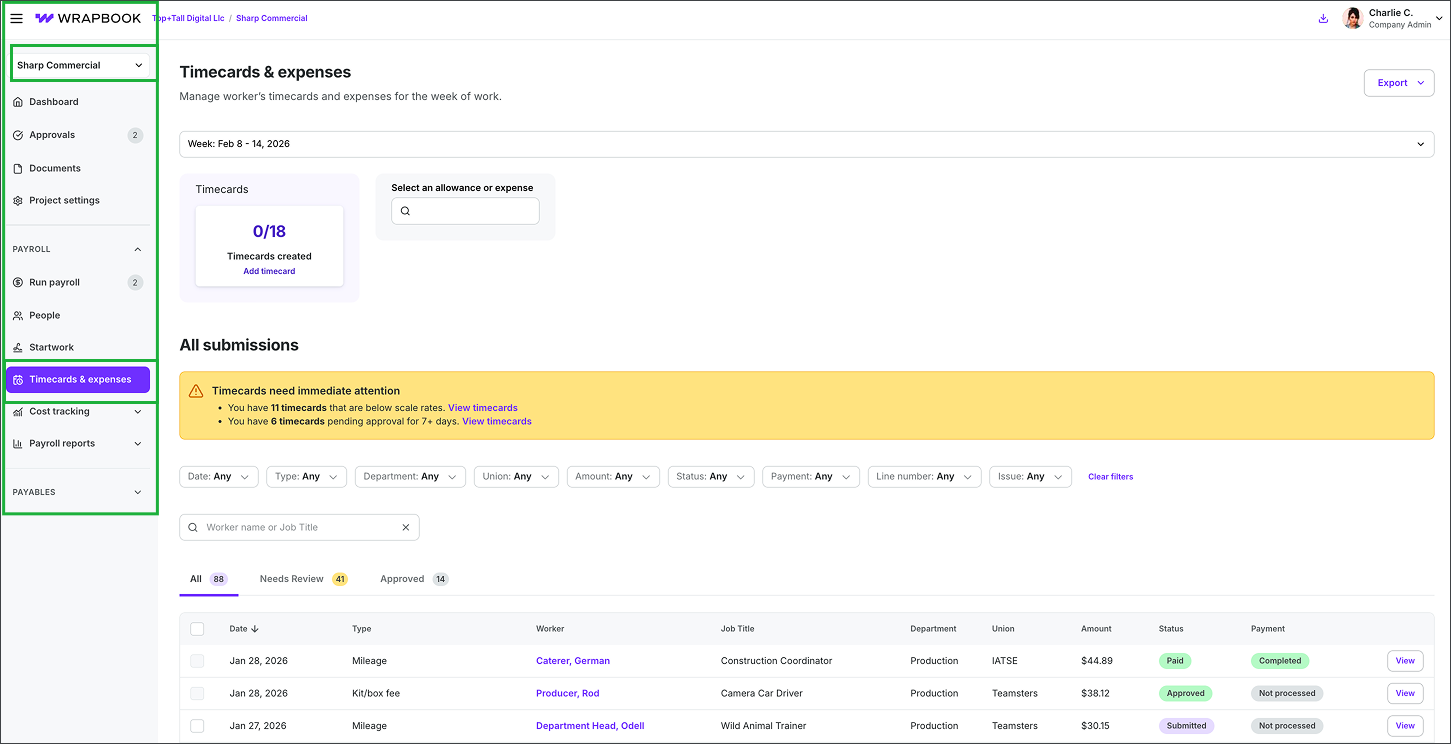
Legacy experience
On the project’s Timecards dashboard
New Experience
In the New Experience, the dashboard says Timecards at the top.
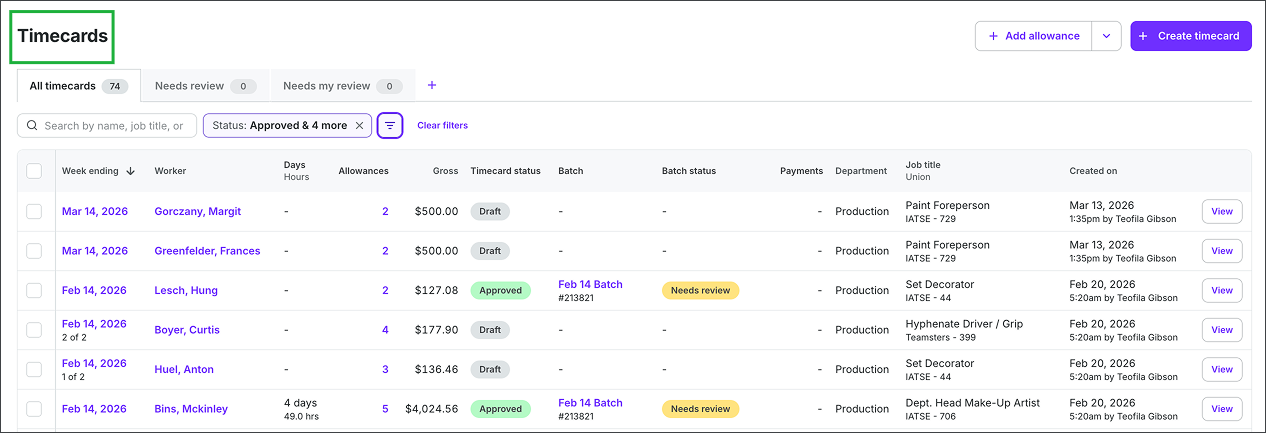
New experience
Legacy Experience
In the Legacy Experience, the dashboard says Timecards & expenses at the top.
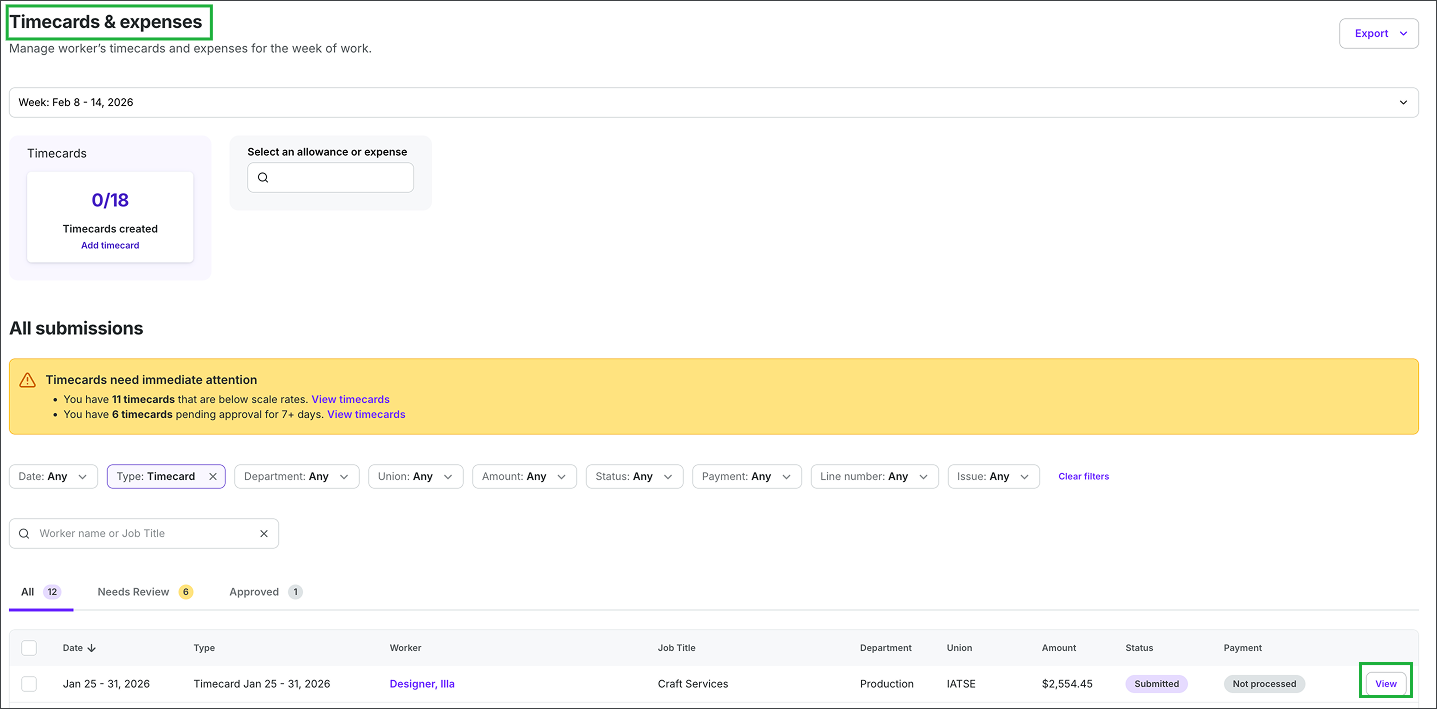
Legacy experience
On the production administrator’s view of the project worker’s timecard
New Experience
In the New Experience, you’ll see the project worker’s name and SSN/TIN at the top. Your ability to to see the full details of a project worker’s SSN/TIN depends on your role and permissions in Wrapbook allow you to see Payroll & Financials/Worker rate and pay information.
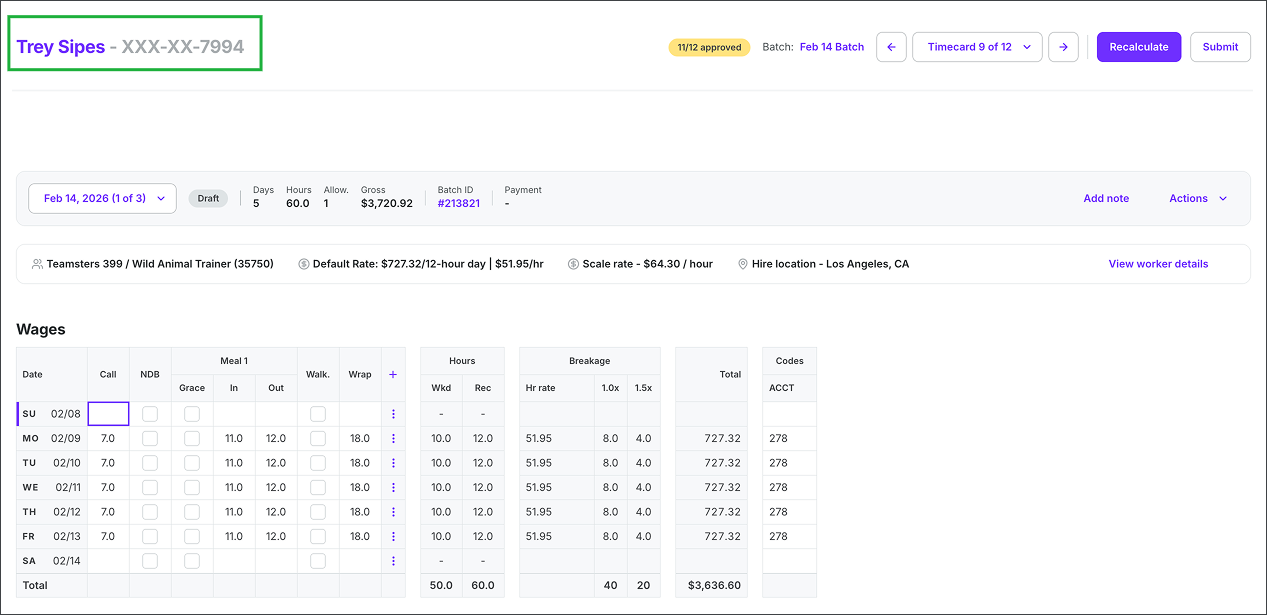
New experience
Legacy Experience
In the Legacy Experience, you’ll see Worker timecard & expenses at the top.
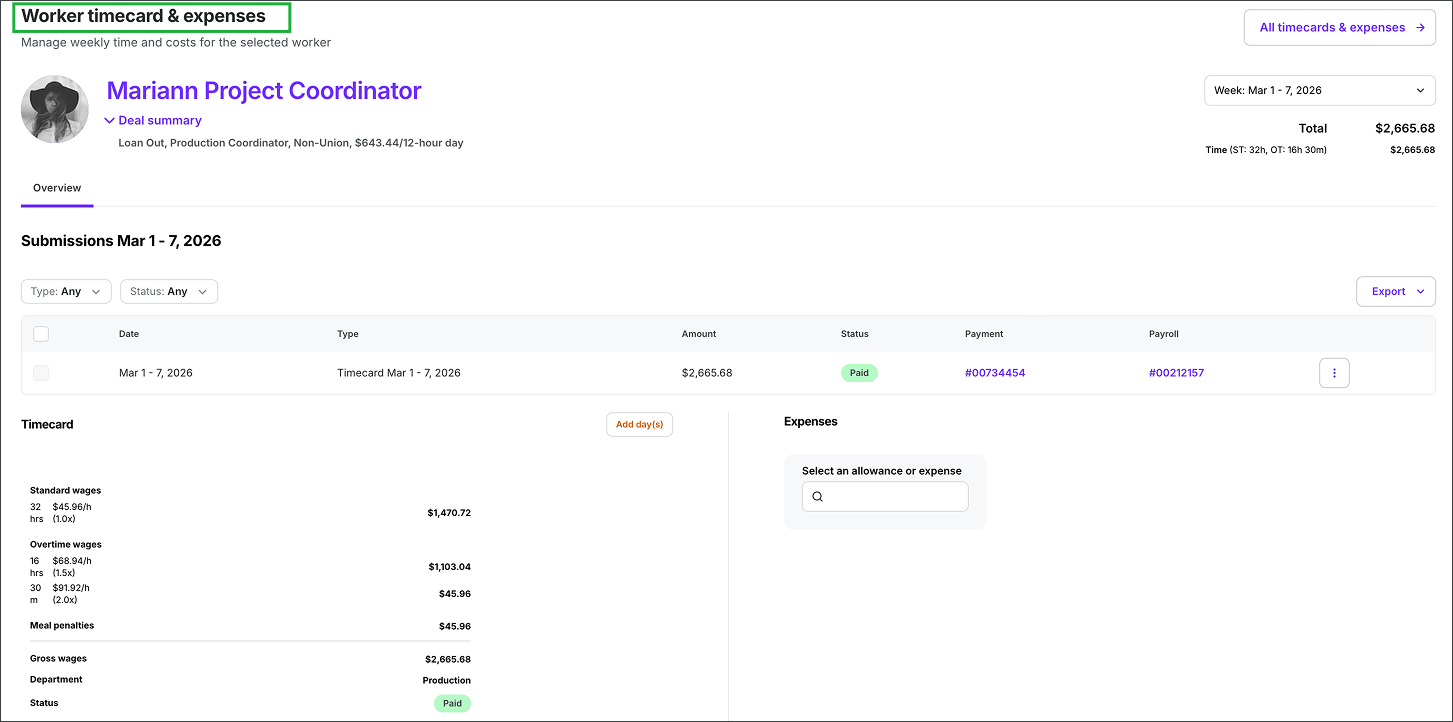
Legacy experience