Startwork packets are permission based
To edit a company-level startwork packet, your account must have one of the following roles enabled:
Role: Company Admin, Company Manager
Custom role with: Worker hiring and startwork - Full access
To edit a project-level startwork packet, your account must have one of the following roles enabled:
Role: Company Admin, Company Manager, Project Coordinator
Custom role with: Worker hiring and startwork - Full access, Project access only
Overview
You can make changes to the following startwork packet details:
Name
Description
If you’re company uses an organizational hierarchy, then you’ll also have the option to change the organizational unit (OU)
The individual startwork documents included in the packet
The order of the individual startwork documents in the packet
How to edit a startwork packet
To edit a startwork packet:
At the top of the left-side navigation, click the dropdown menu
If you want to edit a startwork packet at the company-level, select All projects
If you want to edit a startwork packet at the project-level, select the project that you’re editing the packet for
In the left-side navigation, click Startwork
On the Startwork dashboard, click the Packets tab
In the Packets view, click the three dots next to the packet that you want to edit, then select Edit
A drawer will open, allowing you make changes to the packet's name, description, organization, included documents, and document order.
Once you have completed your edits, click Save
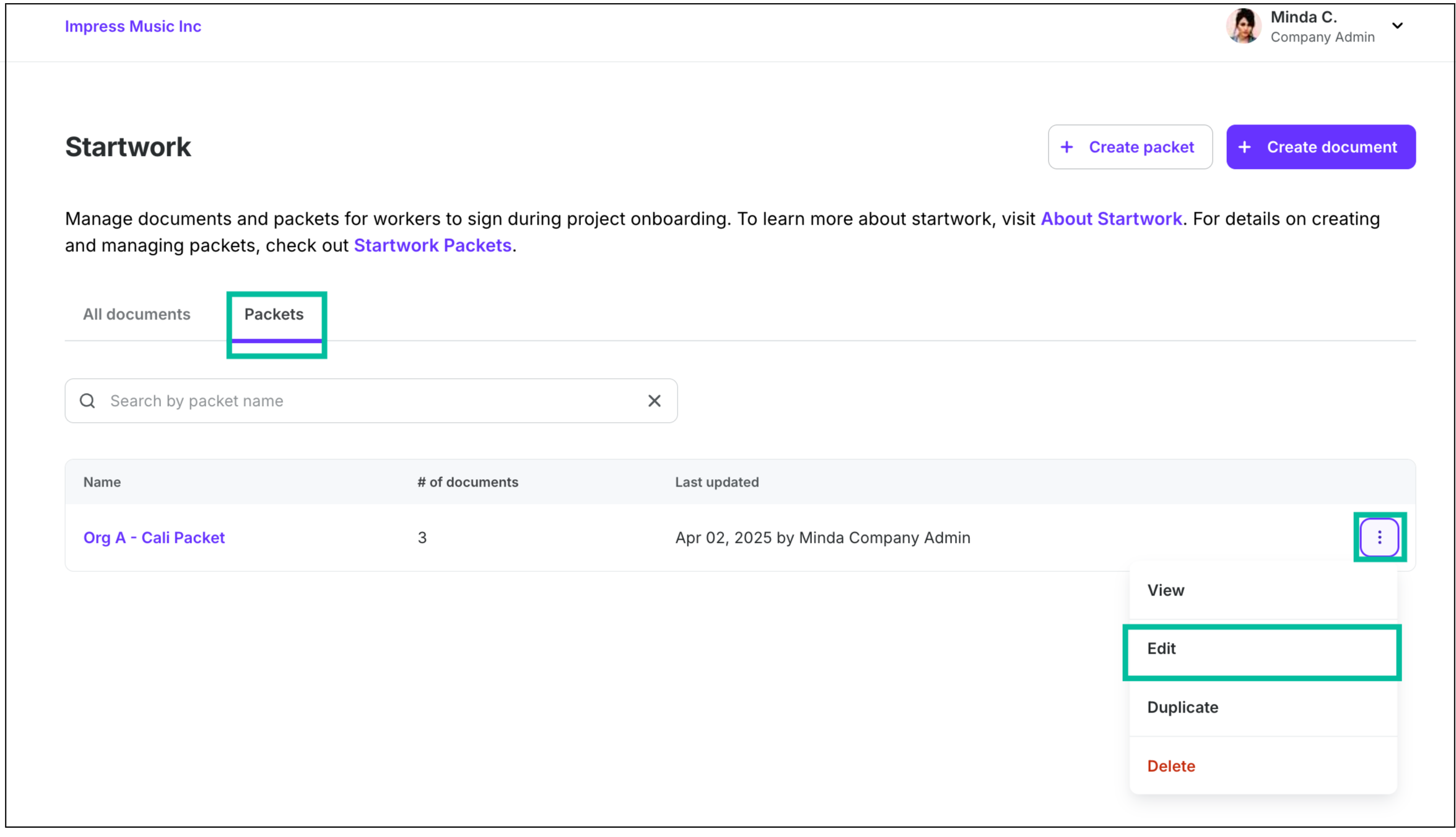
From the company or project-level Startwork dashboard, click Packets. Next, click the three dots next to the packet you want to update, and click Edit.
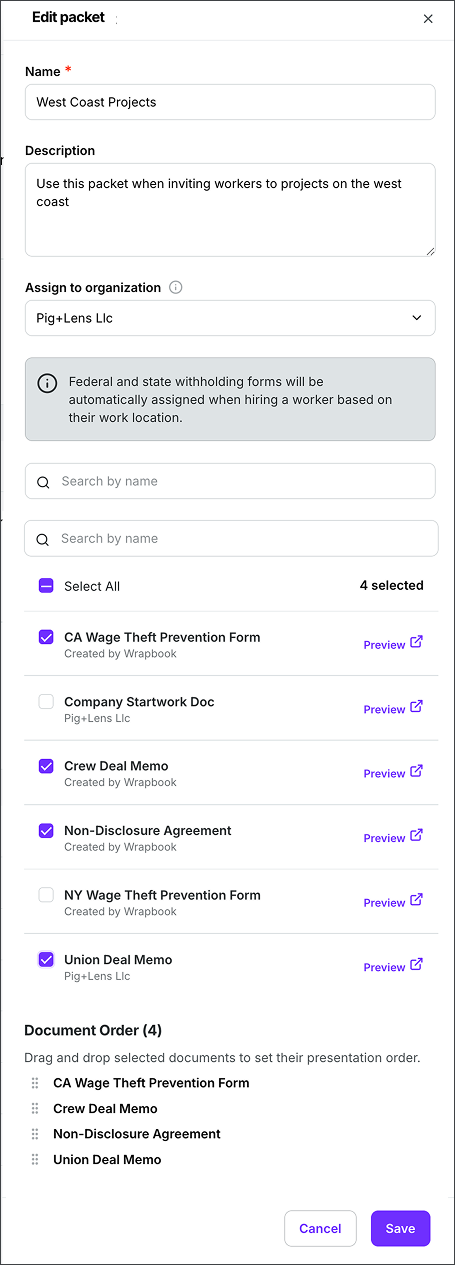
In the Edit packet panel, make your changes and then click the Save button.