Startwork packets are permission based
To create a company-level startwork packet, your account must have one of the following roles enabled:
Role: Company Admin, Company Manager
Custom role with: Worker hiring and startwork - Full access
To create a project-level startwork packet, your account must have one of the following roles enabled:
Role: Company Admin, Company Manager, Project Coordinator
Custom role with: Worker hiring and startwork - Full access, Project access only
Overview
In Wrapbook, startwork packets let you bundle one or more required documents into a single packet that can be assigned to project workers, helping standardize startwork collection across a company or a specific project.
You don’t need to enter every detail at once to get started. You can create the packet with the basics first, then return to add or refine information later, including the description, organization assignment, selected documents, and document order before assigning it.
How to create a startwork packet
To create a startwork packet:
At the top of the left-side navigation, click the dropdown menu
If you want to create a startwork packet at the company-level, select All projects
If you want to create a startwork packet at the project-level, select the project that you’re creating the packet for
In the left-side navigation, click Startwork
On the Startwork dashboard, click the Packets tab
In the Packets view of the Startwork dashboard, click the + Create packet button. A panel will open, where you can configure the packet.
Enter a packet Name
Enter a packet Description (optional)
For company-level startwork, if an organizational structure has been configured, you can click the dropdown menu under Assign to an organization to select an organization unit (OU).
Click to select the documents that you want to add to the packet. If the list of startwork documents is extensive, you can use the Search bar to find specific startwork documents by name.
Under Document Order, you can drag the individual documents that you’ve selected to your desired order.
When you’re ready, you can click the Create packet button to save it
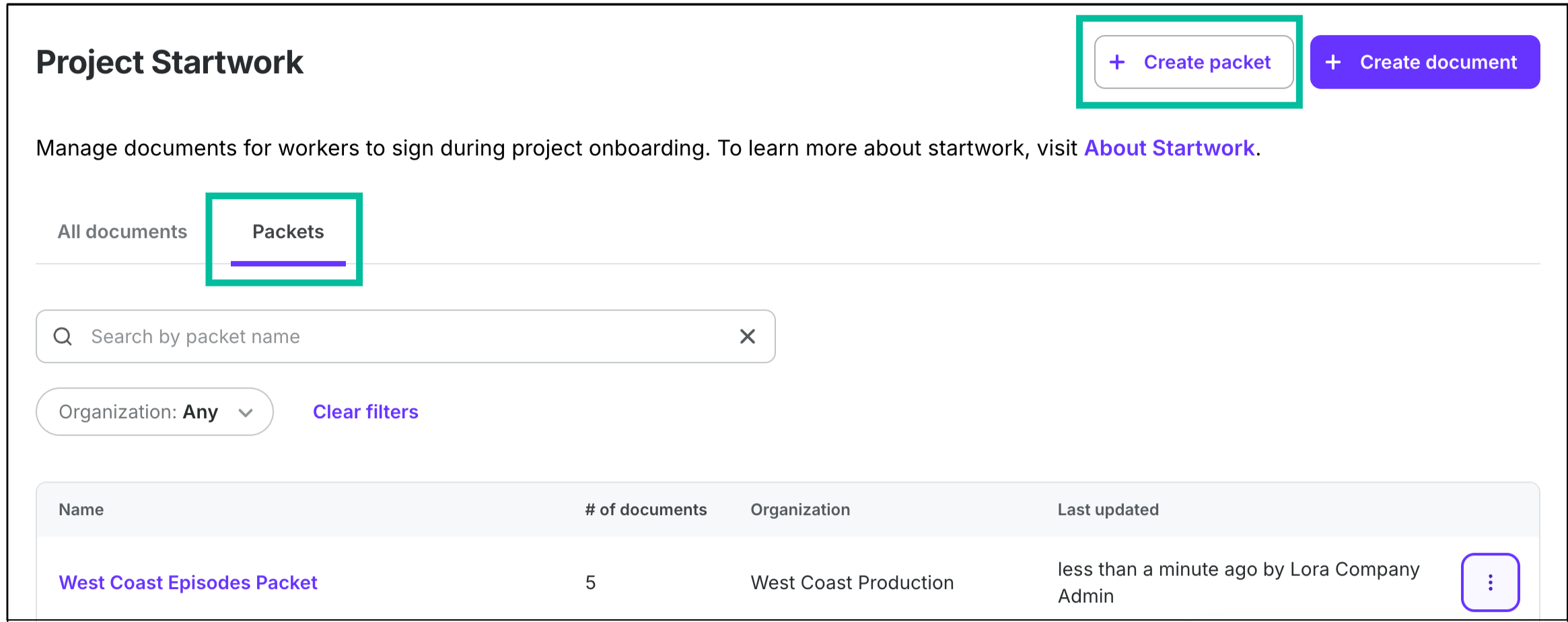
From the company or project-level Startwork dashboard, click the Packets tab, then click the + Create packet button
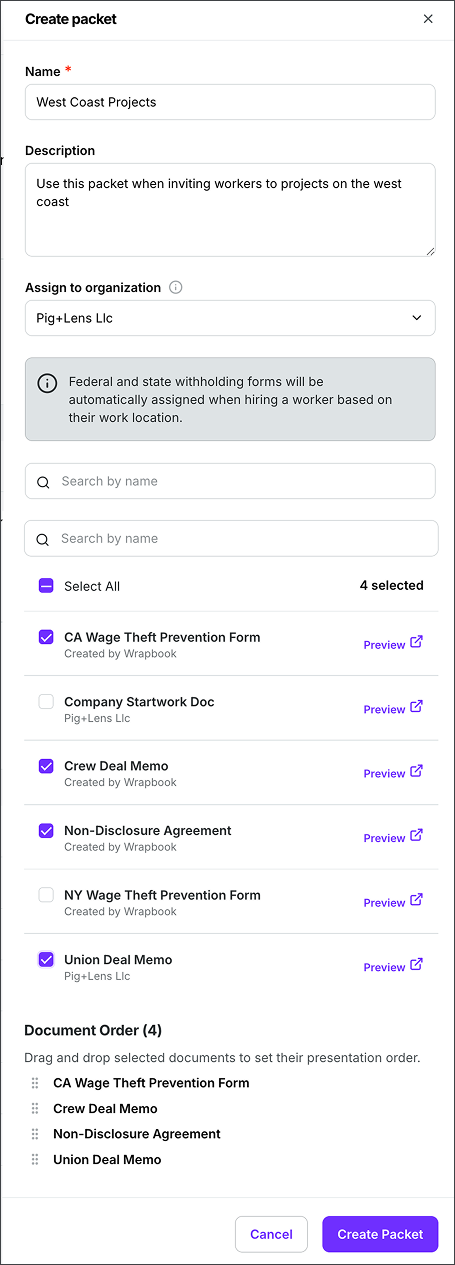
In the Create packet panel, you can add a Name and Description, and Assign to an organization. Click to select the startwork documents you want to include in the packet. Under Document Order, drag the individual documents selected to your desired order. When you’re finished, be sure to click the Create Packet button.